AI & Automation
8 min readAI automation for law firms: five tasks that pay back fastest
A practical list of five admin tasks a small practice can automate, what each saves, what a lawyer must keep, and how to protect client data.
AI automation for law firms works best on the dull, repeatable admin that eats your week, not on legal judgement. If you run a solo or small practice, you probably lose hours to intake emails, conflict searches, chasing invoices, drafting from the same templates and rebuilding your time sheets from memory. Here are five tasks that can be automated, what each one saves, and what must stay with a lawyer.
Start with one high-volume bottleneck, not a firm-wide rollout
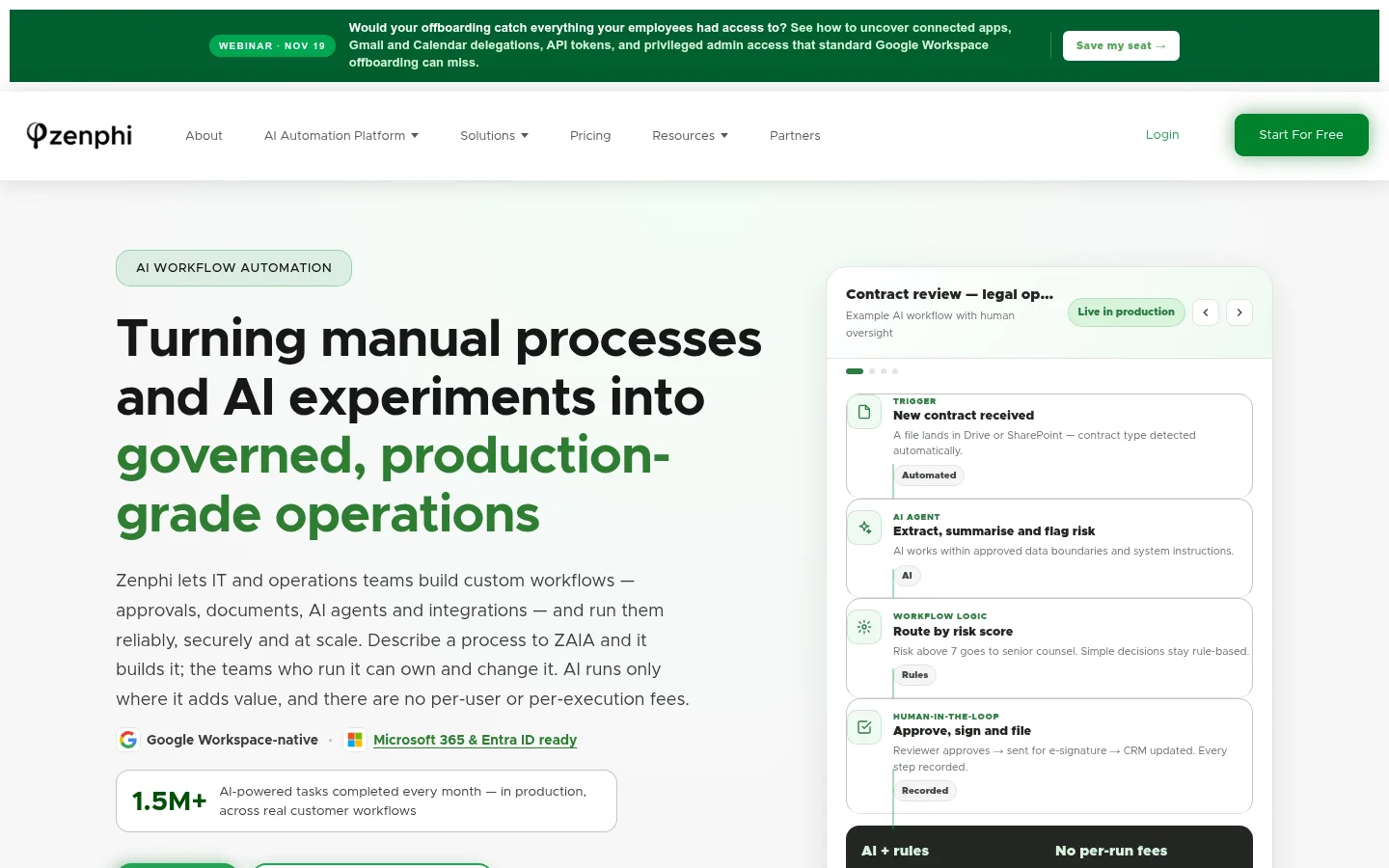
The biggest mistake we see is trying to automate everything at once. Zenphi, a workflow platform, notes that successful AI implementations rarely start with firm-wide transformation. They pick one high-volume, high-friction workflow and automate it completely before expanding (https://zenphi.com/solutions/ai-for-law-firms). That advice suits a small firm even more than a large one, because you have no IT team to untangle a messy rollout.
Pick the task that annoys you most and happens most often. Count how many times it happens a week and how long each one takes. That is your baseline. Without it you cannot tell later whether the automation worked.
Also write the process down first. Practitioners on r/legaltech report good results when workflows are well defined beforehand. If you cannot describe the steps on one page, a tool will not fix that for you.
| Task | What automation handles | What a lawyer keeps |
|---|---|---|
| Client intake | Forms, data capture, booking, first reply | Deciding whether to take the matter |
| Conflict checks | Searching names across your records | Clearing or declining the conflict |
| Invoice chasing | Reminders and follow-ups | Fee disputes and relationship calls |
| Document drafts | Filling templates from intake data | Legal judgement and sign-off |
| Time capture | Logging from calendar and email | Reviewing billing narratives |
Client intake: what automation handles and what a lawyer must review
Intake is the usual first project because it is high volume and the gain is easy to see. Voiceflow notes that AI tools can create calendar invites and process client intake information, cutting the time spent on these tasks to a fraction (https://www.voiceflow.com/blog/law-firm-ai). Speed matters too. Automaton Agency reports one intake agent took a firm's response time from 52 hours to under four minutes and raised consultations 2.4 times with no added staff (https://automatonagency.com/insights/ai-agents-for-law-firms). That is a vendor's own case study, so treat it as an example of what is possible, not a promise.
What to automate: a web form or chat that collects name, contact details, matter type, opposing parties and key dates. Then an instant acknowledgement, a booking link and a clean record in your case system.
What a lawyer must review: whether you take the matter at all, any urgent limitation issue, and anything the form cannot judge, such as a vulnerable client. Make the form say plainly that it is not legal advice and that no solicitor-client relationship exists until you confirm. Our guide on whether an AI chatbot is worth it on a small business website covers the trade-offs of putting one in front of the public.
Conflict checks: automate the search, keep the clearance decision with a lawyer
A conflict check is two jobs. The first is a search: take every name from intake and look for it across current clients, former clients and opposing parties. That is mechanical, and automation is good at it, including catching spelling variants and company name changes.
The second job is deciding what a match means. Is it the same person? Is the earlier matter related? Can you act with consent or an information barrier? That is a professional conduct decision and it stays with a lawyer.
A sensible setup: the intake form triggers a search of your client list, and the result lands in front of a lawyer as a short summary of hits and near hits. The lawyer clears, declines or asks for more. Keep a log of who decided and when. The automation saves the searching. It never records a clearance on its own.
The quality of this depends on your data. If your client records sit in three spreadsheets and an inbox, tidy them first. That is also worth doing before any of the other four tasks.
Conflict check flow
- 1
Pull the names
Take every name from the intake form, including the client, the opposing party and related companies.
- 2
Run the search
Automation checks current clients, former clients and opposing parties, including spelling variants and company name changes.
- 3
Review each match
A lawyer reads every hit and decides whether it is a real conflict, a false alarm or something to escalate.
- 4
Record the decision
Log who cleared the matter, when, and why, so the decision can be found later.
Invoice chasing: automate reminders and follow-ups, keep fee disputes with the partner
Chasing late payment is a tax on your attention. A simple automation sends a friendly reminder a few days before the due date, a firmer one when it is overdue, and a final notice at a point you choose. It stops the moment payment lands. We cover the mechanics in how to automate invoices with AI, step by step.
What to automate: the schedule, the wording from your own templates, the payment link and the matching of payments to invoices.
What the partner keeps: any client who disputes a bill, anyone in hardship, and any long-standing client where a form email would feel wrong. Build an exception rule: if the client replies to a reminder, the automation pauses and flags it to a person. Also check your regulator's rules on how you describe costs and on holding client money before you let any tool touch payment wording.
Document drafts from templates: automate assembly, keep legal judgement and sign-off
Most small firms already have templates for engagement letters, simple wills, tenancy agreements, standard letters before action and similar. Automation can pull the details from intake, fill the right template, pick the correct clauses and produce a draft in minutes.
This is assembly, not advice. The rules for which clause applies live in your templates, so the output is predictable. Generative AI can help summarise or tidy text, but it needs closer watching. A paralegal on r/paralegal says the legal AI tool they use still makes mistakes, so someone always needs to review the output.
So the rule is simple. Every draft goes to a lawyer before it reaches a client. The lawyer checks facts, the choice of clause and anything unusual in the instructions, then signs off. Pricing varies by tool. One user on r/Lawyertalk puts CoCounsel at about $225 to $428 per month per attorney, depending on whether the full Westlaw package is included. A template-based assembly tool may cost less, so compare before you buy.
From intake to signed document
Inputs
Client details from intakeMatter typeAssembly
Pick the right templateFill in details and standard clausesLawyer
Review the draftApprove the final wording and sign offTime capture: automate logging from calendars and email, keep billing narrative review
Lost time is lost revenue. Automation can read your calendar, your sent emails and your document activity, then suggest time entries by matter. You approve or edit them at the end of the day rather than rebuilding the week on Friday afternoon.
What to automate: matching a meeting or email thread to a matter, rounding to your billing increment, and drafting a first-pass description.
What a lawyer keeps: the final narrative. The client reads it, and it must be accurate and fair. Review every entry before it goes on a bill. If you move to fixed fees, time capture still helps you see which matters really pay. Our piece on why hourly rates break under an AI billing model goes into that.
Firms estimate AI automation frees up roughly 4 hours per week per lawyer across document review, legal research and client communication, according to TTMS (https://ttms.com/how-ai-automation-solutions-help-law-firms-work-more-efficiently). It is an estimate, not a guarantee, so measure your own.
Client data safety: confidentiality, privilege and vendor controls before you start
This is the real worry, and it should be. T2M Works reports that in February 2026 a US District Judge ruled that use of public AI tools can waive attorney-client privilege, because the firm could not demonstrate control over where client data went (https://t2mworks.com/legal). That is a US ruling, but the principle travels: if you cannot show where data went, you cannot easily defend confidentiality.
Before you put any client document into a tool, ask the vendor:
- Is our data used to train your models? It should not be.
- Where is data stored, and in which country?
- Who at the vendor can see it, and is access logged?
- Can we delete everything, and how fast?
- Is there a data processing agreement we can sign?
- Can we turn off the tool for a single sensitive matter?
Do not paste client material into free public chat tools. Use business accounts with written terms. Start with tasks that use little sensitive data, such as reminders and scheduling, before moving to document work. Check your regulator's guidance and your insurer's position too. For UK firms, our guide to AI data protection for a UK small business sets out what to do first.
How to tell whether it is working
Most write-ups you will find are vendor case studies. Do your own test. Before you start, record three numbers for your chosen task: time spent per week, how long clients wait for a reply or payment, and error rate. After four to six weeks, record them again. If the saving is not clear, change the process or stop. Our guide to measuring AI automation ROI in a small business shows how.
Test one task for four to six weeks
Before you start
- Hours spent on the task each week
- Days clients wait for a reply or payment
- Error rate on the task
After four to six weeks
- The same three numbers, measured the same way
- Any change in how many errors reached a client or a bill
If the saving is not clear, change the process or stop.
What stays with the lawyer: a checklist of decisions automation must never make
- Accepting or declining a client or matter.
- Clearing, waiving or declining a conflict of interest.
- Giving legal advice or interpreting the law for a client.
- Choosing strategy, settlement positions or deadlines.
- Signing off any document that leaves the firm.
- Approving the final wording of a bill or time narrative.
- Handling a fee dispute or a client in difficulty.
- Deciding what data goes into which tool.
- Reporting a breach or a mistake to a client or regulator.
Where to start
- Pick one task from the table above that is frequent and annoying.
- Write the steps on one page and count the hours it takes now.
- Tidy the data it depends on, such as client lists and templates.
- Ask the vendor the data questions above and get the answers in writing.
- Run it for four to six weeks with a lawyer reviewing every output.
- Compare against your baseline, then decide whether to add the next task.
You do not need a big IT budget for this. Most of the work is deciding the process, and that costs time, not money. If you want help, our AI systems and automation service builds this kind of workflow, and the cost depends on the task and the tools involved.
If you would like a plain view of which of these five tasks fits your practice first, get a free AI plan or book a call and we will go through it with you.
Sources
See it in practice

Built by Pensact
Go Way · A ride-hailing app for Egypt where riders pick the offer that suits them, across car, scooter or tuk-tuk. We built its systems and CRM.
Questions people ask
How can a small law firm use AI automation without a big IT budget?
Start with one task, such as intake or invoice reminders, using a tool with a business account and clear data terms. Most of the effort is writing down the process, not buying software. Costs depend on the tool and how many users you have.
Which admin tasks should a law firm automate first?
Pick the one that is most frequent and most irritating. For many small firms that is client intake, because a faster first reply is easy to measure. Invoice reminders are a close second because they need little sensitive data.
Can AI safely handle conflict checks and client intake?
It can run the search and collect the details, but a lawyer must decide. Conflict clearance and whether to take a matter are professional judgements. Have the automation flag matches and log the lawyer's decision.
Is it safe to put client documents into an AI tool?
Not into free public tools. A US ruling reported by T2M Works in February 2026 found public AI use can waive privilege where a firm could not show control over client data. Use business accounts, get written terms on storage, training and deletion, and check your regulator's guidance.
Keep reading

How to save time and money with AI, without the wrong tools
A practical method for owners: log your week, rank tasks by time and error cost, then prove the saving with a 30-day check before you buy more tools.
Noah Hany · 6 Nov 2026

AI automation agency Dubai: what to check before you sign
Most AI agency proposals sound alike. Here is what a UAE business should check on language, data, currency, ownership and track record before signing.
Noah Hany · 6 Nov 2026
AI automation mistakes to avoid: 8 errors that cost small firms
Eight errors that send small firms into expensive rework, and the fix for each one you can apply this week.
Noah Hany · 6 Nov 2026