Playbooks
10 min readHow to automate expense receipts for a UK sole trader
Automate expense receipts so they arrive, get read and match your bank lines before your accountant asks. Here is the weekly flow, what breaks and how VAT is handled.
If you want to automate expense receipts, the real target is the weekend you lose each month hunting for photos, PDFs and card slips before your bookkeeper can close the books. The fix is a weekly loop: receipts arrive on their own, get read, get matched to a bank or card line, and go to your accounting package as one batch. Set up properly, your job becomes checking a short list of exceptions instead of chasing paper.
One Reddit user in r/Bookkeeping said the most time-consuming part of bookkeeping is finding receipts in email and uploading them one by one to match each transaction. That is the job this flow removes. The steps below work with any accounting package and any receipt tool, and they keep you in control of the VAT.
How to automate expense receipts, step by step
The flow has six steps. Each one has a clear output, so you can see where something has gone wrong.
- Capture: every receipt lands in one place, whether it came by email, photo or card feed.
- Read: the tool pulls out the supplier, date, total, tax amount and currency.
- Match: each receipt is linked to one bank or card line.
- Hold exceptions: anything unmatched, duplicated or unclear goes to a list, not the export.
- Export weekly: approved matches go to your accounting package on the same day each week.
- Review monthly: you and your accountant clear the exceptions list.
The key rule is that nothing reaches your books without a bank line behind it. If a receipt has no matching transaction, or a transaction has no receipt, it sits on the exceptions list until a person decides what it is.
If you would rather have this built for you, our AI systems and automation service covers this kind of flow. It starts from $499 and typically takes 1 to 3 weeks, depending on how many feeds and accounts you need connected.
How the receipt flow connects
Get the receipt in
Email forwarded to one addressPhoto taken on the phoneCard feed transactionRead and match
Supplier, date, total, tax and currency pulled outReceipt linked to one bank or card lineSend
Approved matches exported in one weekly batchGetting receipts in: email forwarding, photos and card feeds
There are three routes in, and most owners need all three. Each one catches a different kind of spend.
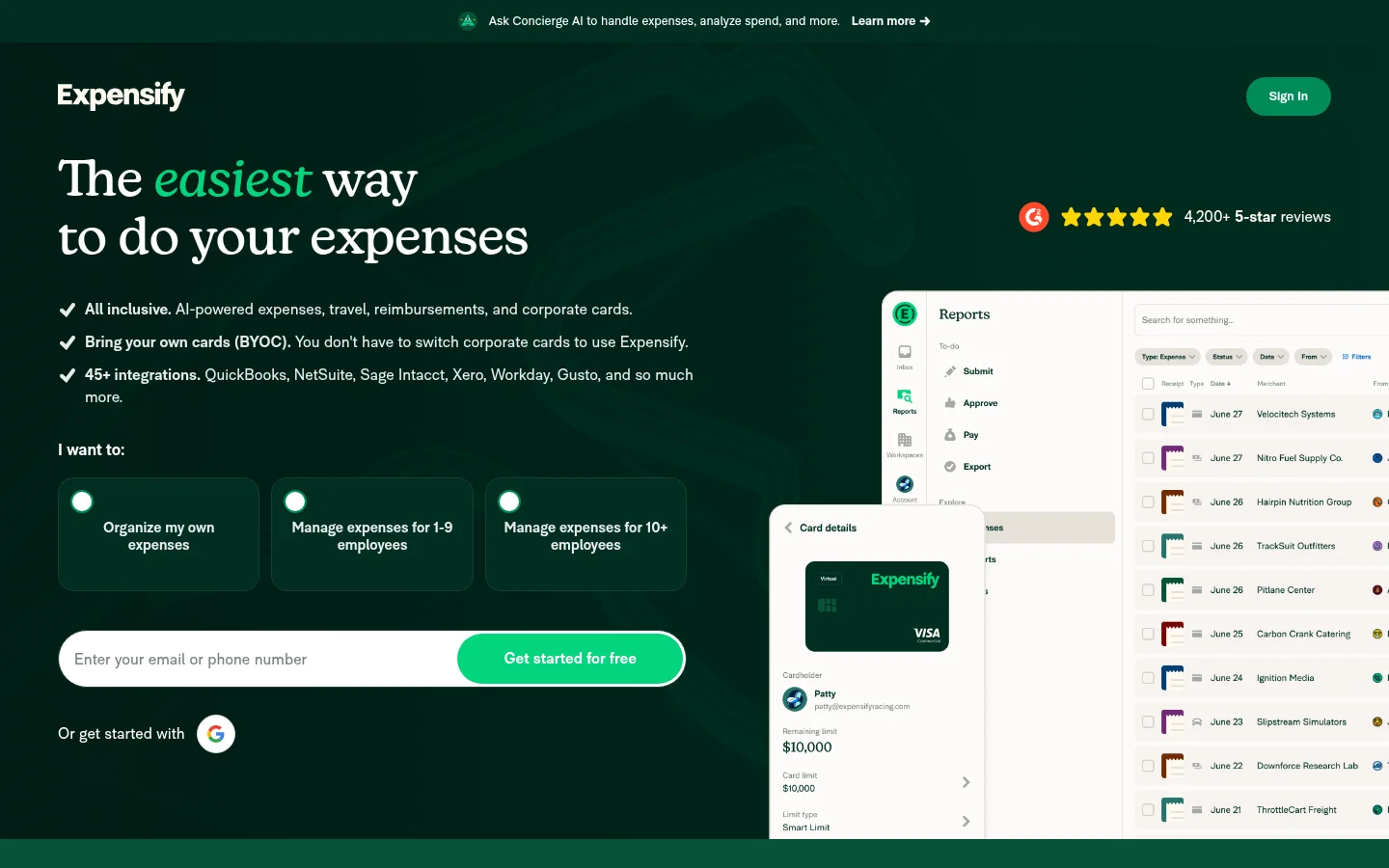
Email is the cleanest route for online suppliers. Expensify says you can forward receipts to a dedicated address, snap a photo or upload a file, and it will scan the details. A small business user in r/smallbusiness described forwarding emailed invoices to a unique address, with the data extracted and published to QuickBooks automatically. Whatever tool you use, create a dedicated inbox or label and set a rule to forward only supplier emails with words like 'receipt' or 'invoice' in the subject. Forwarding everything creates noise and more duplicates.
Photos cover the spend that never comes by email: fuel, parking, a lunch, a tradesperson paid in cash. Photograph the paper the same day, while it is still in your pocket. Blurred, cut-off or folded receipts are the main reason extraction fails, so a steady hand matters more than a good phone.
Card and bank feeds are the third route, and they matter most. A bank line is the proof that money left your account, even when no receipt exists. Your feed gives you the list of what needs a receipt. The receipts then attach to that list.
| Route | Best for | What breaks |
|---|---|---|
| Email forwarding | Online subscriptions, software, supplier invoices | Duplicates when the same bill is also photographed; rules that forward too much |
| Photo capture | Till receipts, fuel, parking, cash spend | Blur, cut-off, thermal paper fading, receipts lost before they are snapped |
| Card or bank feed | Every payment that left the account | Bank descriptions that hide the real supplier; payments with no receipt at all |
Reading receipts: what gets extracted and what doesn't
Reading is the step most tools advertise, and it does work for the basics. Manus describes a receipt tracker where AI extracts vendor, date, total amount and tax from uploaded photos or forwarded email receipts. Navan describes expense tools that capture receipts via mobile OCR and match them to card transactions. Expect the supplier name, date and total to come through reliably on clean receipts.
Expect gaps in the rest. Check these fields on every extraction:
- Tax line: the tool may read a tax figure without telling you whether it is VAT, a service charge or something else.
- VAT registration number: it is often missing, cut off or not printed at all. Do not assume the tool found it.
- Currency: a faded or foreign-language receipt can lose the currency symbol.
- Line items: useful for splitting a shop receipt into business and personal, but many tools only capture the total.
- Document type: a simple receipt and a full VAT invoice are not the same thing, and the tool may not tell them apart.
Treat every extraction as a draft. The tool proposes, and the weekly check approves.
Matching receipts to bank and card lines
Matching is where the time goes, and it is also where automation pays off most. A sound match uses three checks: the amount, the date within a short window, and a supplier name that roughly agrees with the bank description. Card payments usually match on exact amount. Bank descriptions often shorten or code the merchant name, so the supplier check needs to allow for that.
Expensify says it handles matching and policy checks on expense reports, and NetSuite defines expense management automation as software that replaces collecting paper receipts, inputting data into spreadsheets and tracking expenses through email. Whichever tool you pick, the rules are the same. Confident matches go through. Anything with a weak match, or two receipts that could fit one line, goes to exceptions.
One receipt should match one line. Where a single bank payment covers several receipts, such as a bulk order split across invoices, link them all to that line and note it. Where one receipt seems to cover two payments, check before you link it. Guessing here is how wrong figures reach the accounts.
Sending matched receipts to your accounting package each week
Pick one day each week, and send only approved matches. Friday or Monday both work, as long as it is the same day every time. Your accountant will want a consistent batch, not a steady trickle.
Ask your accountant what they want in the export before you build anything. Most will want the same core fields:
- Transaction date and supplier name
- Description of what was bought
- Net amount, VAT amount and gross amount, shown separately
- Currency and original amount, for anything not in sterling
- Bank or card reference that the line matches
- Category, using the chart of accounts your accountant set up
- Link to the receipt image or PDF
- Supplier VAT number, where one is on the receipt
Expensify offers two-way sync with QuickBooks, Sage Intacct, NetSuite and Xero. A sync saves a manual upload, but it only helps if the categories and tax codes are set up correctly first. If your accountant prefers a CSV or a monthly PDF pack, use that. The format matters less than the consistency.
Before you build the export
What goes wrong: duplicates, missing VAT numbers and foreign currency
The flow above breaks in three predictable places. Plan for them before they happen.
Duplicates
The same bill often arrives twice: once as an emailed invoice and once as a photo taken at the desk, or as a card receipt plus a supplier email. A duplicate inflates your expenses and, if both copies reach the books, double counts the VAT.
Catch them with a match key built from supplier, date, gross amount and invoice number where one exists. When a second receipt matches the key, flag it. Keep one as the record and attach the other as a supporting copy. As a weekly check, scan for the same supplier and amount appearing within a few days of each other.
Missing VAT numbers
Whether you can reclaim the VAT on a purchase depends on having a valid VAT invoice. For a full VAT invoice, the supplier's VAT registration number is normally part of what must be shown. HMRC's rules on simplified invoices depend on the amount involved, so ask your accountant where your cut-off sits.
When a receipt has no supplier VAT number, do three things. First, ask the supplier for a reissued VAT invoice that includes their number. Second, if they cannot provide one, record the spend but mark the VAT as not yet reclaimable. Third, put it on the exceptions list for your accountant to decide. Do not look up a number and type it in. A wrong number on a VAT record is harder to fix than a missing one.
Foreign currency
A receipt in dollars or euros will not match a sterling bank line exactly. The bank line is your proof of what left the account, so it is the figure that goes into the books. Store the original currency and amount on the receipt row, match it to the sterling line, and accept a small gap caused by the exchange rate or a card fee. Record that gap rather than forcing the numbers to agree. The worked example below shows how it looks.
What happens to VAT on automated receipts
Automation does not change the VAT rules. It only makes them easier to check. A VAT amount you can reclaim needs a valid invoice, the supplier's details, and the VAT shown as a separate figure. If the flow captures those fields, your accountant can see at a glance which purchases are ready to reclaim and which are not.
Three VAT points need your accountant's view. Simplified receipts show less detail than full invoices, and the threshold for when you need more depends on the amount. Overseas suppliers may charge no UK VAT, or the reverse charge may apply, which changes how the purchase is recorded. And some spend is not VAT-able at all, such as bank charges or certain insurance. Your flow should tag these as their own category so they do not get reclaimed by mistake.
Worked example: a made-up week of matching
The figures below are made up to show the method. They are not real, and your own numbers will differ.
Inputs for the week:
- Receipts received by email: 14
- Receipts received by photo: 3
- Duplicate found: 1 (the same hotel invoice came by email and as a photo)
- Bank and card lines for the week: 17
- Receipts matched confidently to a line: 14
- Unmatched receipts: 2 (one cash payment, one dollar invoice needing a sterling check)
- Bank lines with no receipt: 3 (a bank fee, a direct debit, a card payment with no invoice)
The checks, line by line:
- Receipts captured: 14 + 3 = 17
- Unique receipts after removing the duplicate: 17 - 1 = 16
- Unique receipts matched and unmatched: 14 + 2 = 16. This agrees with step 2.
- Bank lines matched and unmatched: 14 + 3 = 17. This agrees with the 17 bank lines.
- Items for the exceptions list: 2 unmatched receipts + 3 lines with no receipt = 5
The dollar invoice is a good example of the currency rule. Suppose it shows $120.00 on the invoice and the card statement shows a sterling charge of £94.80. You match the receipt to the £94.80 line, store the $120.00 as the original amount, and note the exchange rate on the row. The exceptions list then records it as resolved, with no forced adjustment.
Keeping control: a weekly check and a monthly exceptions list
Automation saves time on the matching. It does not remove the need for a person to look at the results. Build two routines around it.
Each week, look at the auto-matched items as a list rather than one by one. Approve the batch, then clear anything on the exceptions list that is more than a week old. A receipt that has been waiting that long usually needs a supplier email, not more waiting.
Each month, send the exceptions list to your accountant with the receipts attached. Ask them to mark each item as booked, personal, non-reclaimable or needs a supplier invoice. Over time the list gets shorter, because the same supplier and category problems stop repeating. That is the real return on the flow: fewer surprises at year end.
Where to start
- Write down the bank and card accounts that need receipts, and the accounting package they feed into.
- Ask your accountant for their exact export fields and whether they want a sync, a CSV or a monthly pack.
- Set up one dedicated receipt inbox and one weekly day for the export, then run it for four weeks before adding anything else.
- Keep a live exceptions list from week one, and review it with your accountant each month.
If you want a neutral view on whether this fits your business, our Free AI Audit is a 30-minute call with a strategist. You leave with your top 10 tasks AI could take over and a step-by-step plan you can keep, with no card and no obligation. For more on picking tools for a one-person business, read our guide to AI tools for solo business owners. When you are ready to talk through the build, you can book a call and we will go through your accounts and feeds together.
Sources
See it in practice

Built by Pensact
Go Way · A ride-hailing app for Egypt where riders pick the offer that suits them, across car, scooter or tuk-tuk. We built its systems and CRM.
Questions people ask
How do I automate receipt capture for my accountant?
Start by asking your accountant for the exact fields and format they want, such as a CSV, a sync or a monthly pack. Set up one dedicated receipt inbox, photograph paper receipts the same day, and send an approved batch to them once a week. Keep an exceptions list for anything unmatched, and review it with them each month.
Can AI match receipts to bank transactions?
Yes, for the straightforward cases. Good tools match on amount, date window and a rough supplier name, and approve the confident matches automatically. Anything with a weak match, or two receipts that could fit one payment, should go to a person to decide.
What happens to VAT on automated receipts?
Automation does not change the VAT rules. You can only reclaim VAT with a valid invoice that shows the supplier's details and the VAT as a separate amount. Automating the capture makes those details easier to check, but your accountant should confirm which purchases are reclaimable.
What do I do when a receipt is missing the supplier's VAT number?
Ask the supplier for a reissued VAT invoice that includes their VAT registration number. If they cannot provide one, record the spend but mark the VAT as not yet reclaimable and add it to the exceptions list. Do not look up or guess the number, because a wrong number is harder to fix than a missing one.
Is a Pensact-style setup right for a sole trader?
It can be, if you have regular receipts and at least one bank or card feed. If you have very few transactions a month, a simple inbox rule and a monthly check may be enough. A short call will show which option fits your volume.
Keep reading

Business automation solution for small firms: pick the right one
Start from one broken workflow, not a vendor list. Three simple tests show whether you need an off-the-shelf tool, a connector setup or a custom build.
Noah Hany · 26 Nov 2026

App development cost Saudi Arabia: what to budget
A plain guide to budgeting a first mobile app in Saudi Arabia, in riyals, with the hidden costs and a test for whether you need an app at all.
Noah Hany · 26 Nov 2026
Appointment booking automation small business: setup guide
A practical guide to setting up booking, deposits, reminders and rebooking in one week, for salons, clinics and trades that take bookings by phone and DM.
Noah Hany · 15 Nov 2026