AI & Automation
8 min readAI automation for cleaning companies: quotes and rotas
A practical guide to automating quotes, site visit bookings, rota changes and invoice chasing for UK cleaning firms, with a first-month plan.
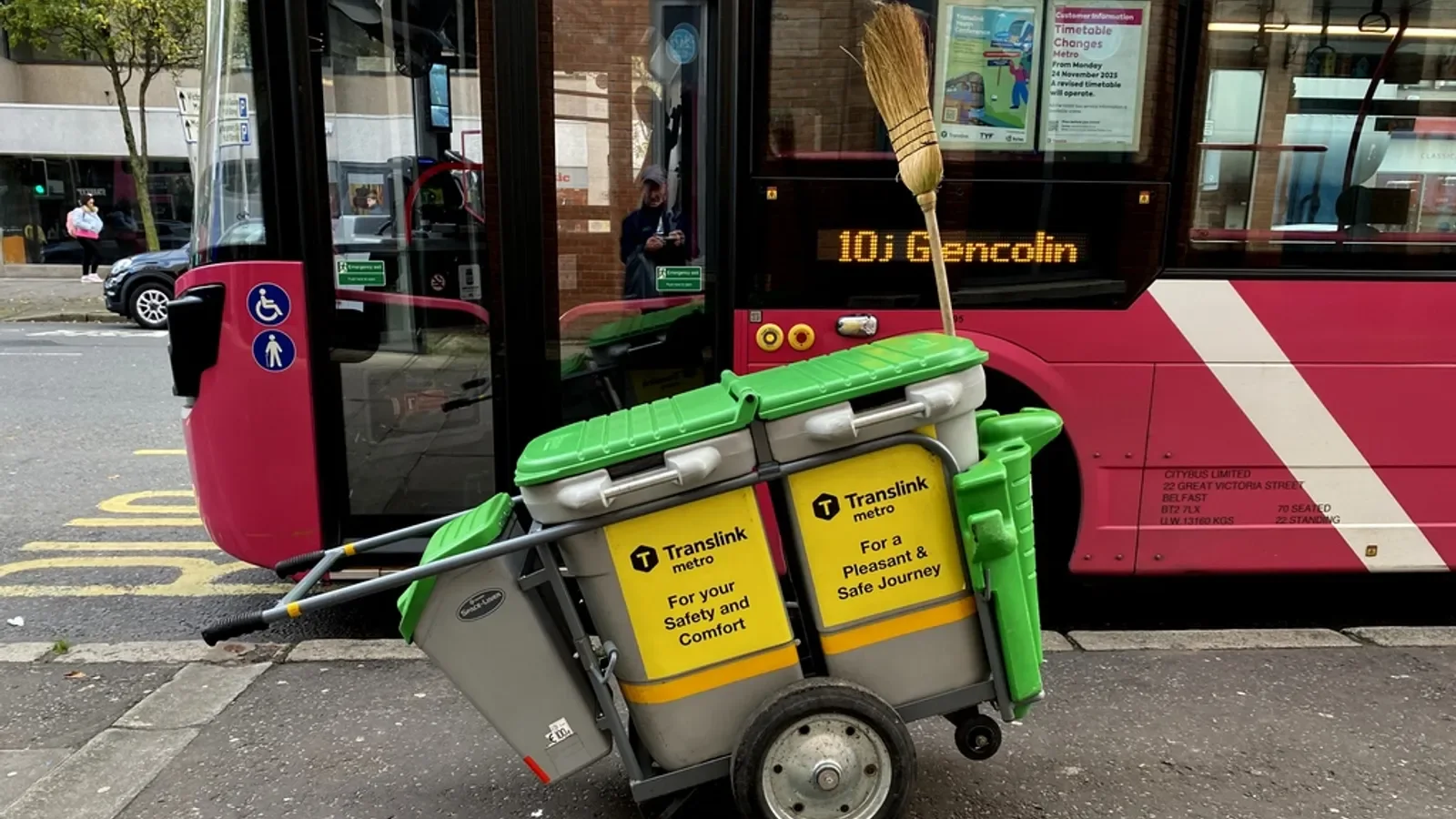
Photo: Kenneth Allen on Wikimedia Commons, CC BY-SA 2.0
AI automation for cleaning companies pays off for one reason: the admin that eats your evenings, from quote follow-ups to rota swaps to chasing payments, is work a system can handle. This guide sets out what to automate, what to keep with a person, and what to set up in your first 30 days if you run a small firm in the UK, from a handful of people up to a mid-sized team.
What AI automation for cleaning companies can and should not do
Start with work that is repetitive, rule-based and happens often. Enquiry replies, booking requests, reminders, rescheduling and invoice follow-up all fit. UniteLVoice notes that AI scheduling tools can assign jobs, adjust routes and manage recurring cleans without manual input (UniteLVoice). Adminify AI describes the same pattern for recurring schedules: reminders, rescheduling requests and notifying the team of changes (Adminify AI).
Some things should stay with a person. Judging a site that looks clean but isn't, agreeing a price for a difficult contract, handling a complaint about a missed bathroom and deciding whether to take on a client are all judgement calls. Treat AI as the front desk and the diary, not the account manager.
A useful test: if a task has a clear rule, happens several times a week and a mistake is cheap to fix, automate it. If a mistake could cost you a client, keep a person on it.
Vendor figures need care. ServiceAgent, which sells an AI agent for cleaning firms, reports a 75% booking conversion rate from inbound AI calls and 77% fewer no-shows after adding automated deposit collection and confirmation flows (ServiceAgent). Those are the vendor's own figures, not independent results, so test them against your own bookings before you plan around them. The same source says operations staff on recurring accounts get back more than 10 hours a week.
Automating quote requests and pricing without losing the human touch
Most quotes take longer than they should because the same questions get asked on every enquiry: how many rooms, how often, which days, access, parking, deep clean or maintenance clean. An AI assistant on your website or WhatsApp can collect those details in one go, pass them into a form and send the lead to your CRM.
What it should not do is put a final price on a site it has never seen. Use it to gather facts. Your pricing rules, such as a minimum charge, a surcharge for commercial waste or a discount for a fixed monthly contract, can be written down and applied by the system. It can then draft a quote from those rules, and you check it before it goes out.
Cleaning & Maintenance Management points out that AI tools can read bills or PDFs and extract key fields into company systems (Cleaning & Maintenance Management). That helps when a client sends a tender document or scope of works: the fields are pulled out and you review them rather than retyping. Keep the reply personal. A line that mentions the old office with carpet tiles and the awkward access beats a templated email, and it is the detail a form cannot capture.
Hard limit: if a prospect asks for a fixed price on a contract you have not seen, the system should book a site visit, not guess.
How a quote enquiry moves through the system
Enquiry
Website or WhatsApp assistant asks the same set questionsCapture
Rooms, frequency, days, access and parking go into one formRecord
Lead lands in your CRM with the details attachedDecision
You review the price and send the quoteBooking site visits automatically
Site visits are where enquiries go cold. Someone asks for a quote on Monday and gets a call on Thursday. Automation fixes that by offering available slots straight away, booking them into the calendar, sending a confirmation and reminding the prospect the day before.
Set the rules first: how long a survey takes by property type, how far you will travel, which days the estimator is free, and how long a slot is held before it's released if the prospect doesn't confirm. Our guide to appointment booking automation for small businesses covers the setup in more detail.
Keep deposits or card holds for jobs where no-shows cost you real money. For a one-off visit, a reminder with a one-click reschedule link is usually enough. ServiceAgent reports fewer no-shows after adding deposits and confirmation flows, but whether that holds for your clients depends on how often people in your area miss appointments.
Automating rota changes and crew scheduling
Rota changes are one of the most common reasons a cleaning manager loses a weekend. Someone is ill, a client moves a clean from Tuesday to Thursday, a van breaks down. Automation helps in three places: it tells the right people quickly, it proposes cover based on who is qualified and nearby, and it records what changed so the client invoice matches the work done.
Start with one source of truth. Put every site, its visit frequency, required hours and access notes into one scheduling tool or spreadsheet. Then set rules: a cleaner cannot be booked over a set number of hours, a site with a keyholder requirement needs a keyholder, and cover should come from the same team where possible.
Smart scheduling goes further. Assett Services describes schedules built on actual building use, so busy areas are cleaned more often and quiet ones less (Assett Services). That suits offices, but it needs footfall data that many small firms don't have. Start with fixed frequencies and add usage-based rules once you can see the numbers.
Be sceptical of tools that promise too much. One Reddit user in r/cleaningbusiness tested Housecall Pro, Jobber, Allclean and MaidCentral and said Housecall Pro's AI assistant was just a better voicemail (Reddit r/cleaningbusiness). That is one person's view, but it is a fair warning. Check whether a tool actually moves a job and updates the crew, or just takes a message.
Chasing invoices and payments with automated reminders
Invoice chasing gets far less attention than bookings, and for many cleaning firms it is where cash goes missing. The work gets done, the invoice goes out, and then someone has to remember to chase it. Automation can handle the reminders, the escalation and the record keeping.
A simple sequence works well: invoice sent on completion, a friendly reminder on the due date, a second reminder a week later, then a call from a person. Log each step against the client. State your payment terms, bank details and how to query a line item on every invoice.
For UK businesses, the invoice has to meet your VAT obligations if you are registered, so check the fields your accountant needs before you switch on any automated template. Tools that extract data from PDFs can also help you enter supplier invoices, but review the output. A misread VAT number is an expensive fix.
Invoice chasing example (made-up numbers)
These numbers are invented to show the method. Inputs: 12 invoices a month, an average value of whatever your typical invoice is, and 3 invoices paid 30 days late.
Late value each month: 3 times your average invoice value.
If automated reminders bring two of those three in on time, the cash freed up is two invoices' worth at your average value. Swap in your own ledger figures to see what your version looks like.
A simple invoice chase sequence
- 1
Invoice sent
The invoice goes out as soon as the work is done, with the payment terms clear.
- 2
Automated reminder
A reminder goes out on its own before the due date and again once it passes.
- 3
Escalation
If it is still unpaid, the account moves to a person to call and decide next steps.
- 4
Record kept
Every reminder and reply is logged, so nobody has to remember what was sent.
Choosing tools: CRM, AI assistant or scheduling software
You don't need one platform that does everything. Most cleaning firms need three jobs covered: capturing enquiries, managing jobs and rotas, and handling money. Decide which job hurts most, then pick the simplest tool that does it.
| Need | What it does | Best when | Watch out for |
|---|---|---|---|
| CRM | Stores leads, quotes and client history, runs follow-up sequences | Enquiries get lost | Gets messy if nobody updates it |
| AI assistant | Answers website and phone enquiries, collects job details, books visits | Enquiries arrive out of hours | Can't price a site it hasn't seen |
| Scheduling software | Assigns jobs, manages recurring cleans, alerts crews | Rotas change often | Needs clean site data to work |
| Invoicing and reminders | Sends invoices and reminders, records payments | Payments arrive late | Check VAT fields before going live |
Check that any tool works with UK phone numbers, UK payment methods and your accounting software. Ask for a demo using your own site list, not the vendor's sample data.
Before you commit to a tool
Your first 30 days: a week-by-week setup plan
Week one: Write down what you do now. List every enquiry type, every quote you send, every rota change from the last month and every late invoice. Count the hours each takes. Don't buy anything yet.
Week two: Pick one job to automate, usually enquiry capture and site visit booking, because it touches revenue straight away. Write your rules: survey times, travel radius, available days and the questions every enquiry must answer. Set up one tool and test it with five real enquiries.
Week three: Add invoice reminders. Set your payment terms, reminder dates and wording that sounds like you. If VAT applies, check the template with your accountant.
Week four: Look at rota changes. Put every site and its frequency in one place and set two or three rules for cover. Run a live test with one team for a week before rolling it out.
If this feels heavy for one person, an AI systems and automation service can build and test these flows for you, but you should still own the rules. Cost depends on how many processes you automate and how many tools they connect to, so ask for a scoped quote rather than a list price.
Measuring whether the automation is working
Track four numbers before and after: enquiry reply time, quote-to-visit conversion, no-shows and days to payment. Also track the hours spent on admin each week, because that is what you are trying to cut.
Set a first review at 30 days, and a second once you have a full quarter of data. If reply time falls but conversion doesn't, the problem is probably the quote, not the speed. If no-shows fall but cover calls still spike, the rota rules need work. Vendor figures are a starting point, not a benchmark.
Be honest about quality. Ask two or three clients a quarter whether the service feels right and whether any message felt automated. If a client says the process feels cold, put a human back in at the point they notice. Our piece on AI customer support for small business covers where automated replies should hand over to a person.
Where to start
- Write down every enquiry, quote, rota change and late invoice from the last month, with hours spent.
- Automate enquiry capture and site visit booking first.
- Set invoice reminders before you touch the rota.
- Keep a person on pricing, complaints and new contracts.
- Review the numbers at 30 days, and again after the first quarter.
If you want a clear view of where AI fits in your firm before you spend anything, get a free AI plan or book a call. The Free AI Audit is a 30-minute call with a strategist, with no card and no obligation, and you leave with a list of the tasks AI can take on and a plan you can keep.
Sources
See it in practice

Built by Pensact
Al Jouf Agricultural Development Co. · The shopping app and store for one of Saudi Arabia's largest agricultural companies, selling its organic olive oil and farm products straight to customers.
Questions people ask
How can a cleaning company use AI?
The most useful starting points are enquiry capture, site visit booking, rota change alerts and invoice reminders. These tasks are repetitive, follow clear rules and cost you money when they're slow. Keep pricing decisions, complaints and new contracts with a person.
Can AI write cleaning quotes?
AI can gather the details for a quote and draft one from rules you set, such as minimum charges and frequency discounts. It shouldn't price a site it hasn't seen, so book a site visit for anything you haven't surveyed. Check every draft before it goes to a client.
How do I automate rota changes?
Start by putting every site, its visit frequency, required hours and access notes in one place. Then set rules for cover, such as qualified staff only and no cleaner booked over a set number of hours. Test with one team for a week before rolling it out to everyone.
Will AI replace the client relationship in a cleaning business?
No, and it shouldn't. AI can handle replies, bookings and reminders, but judgement calls like a disputed clean or a difficult contract need a person. The clients who stay are usually the ones who feel they can still reach you directly.
Keep reading
AI automation for architects: proposals, revisions, admin
Enquiries, fee letters, revision logs and invoice chasing can often be automated safely. Planning and client-facing documents still need an architect's name and check on them.
Noah Hany · 26 Nov 2026

AI automation for hotels in Dubai: guest messages and reviews
The admin that eats a small Dubai hotel's day, what AI can safely send on its own, and what a manager must approve before it goes out.
Noah Hany · 26 Nov 2026
Clean data before AI automation: a practical checklist
The three data problems that break automations, and a one-week plan to fix them before you switch anything on.
Noah Hany · 26 Nov 2026