AI & Automation
7 min readClean data before AI automation: a practical checklist
The three data problems that break automations, and a one-week plan to fix them before you switch anything on.
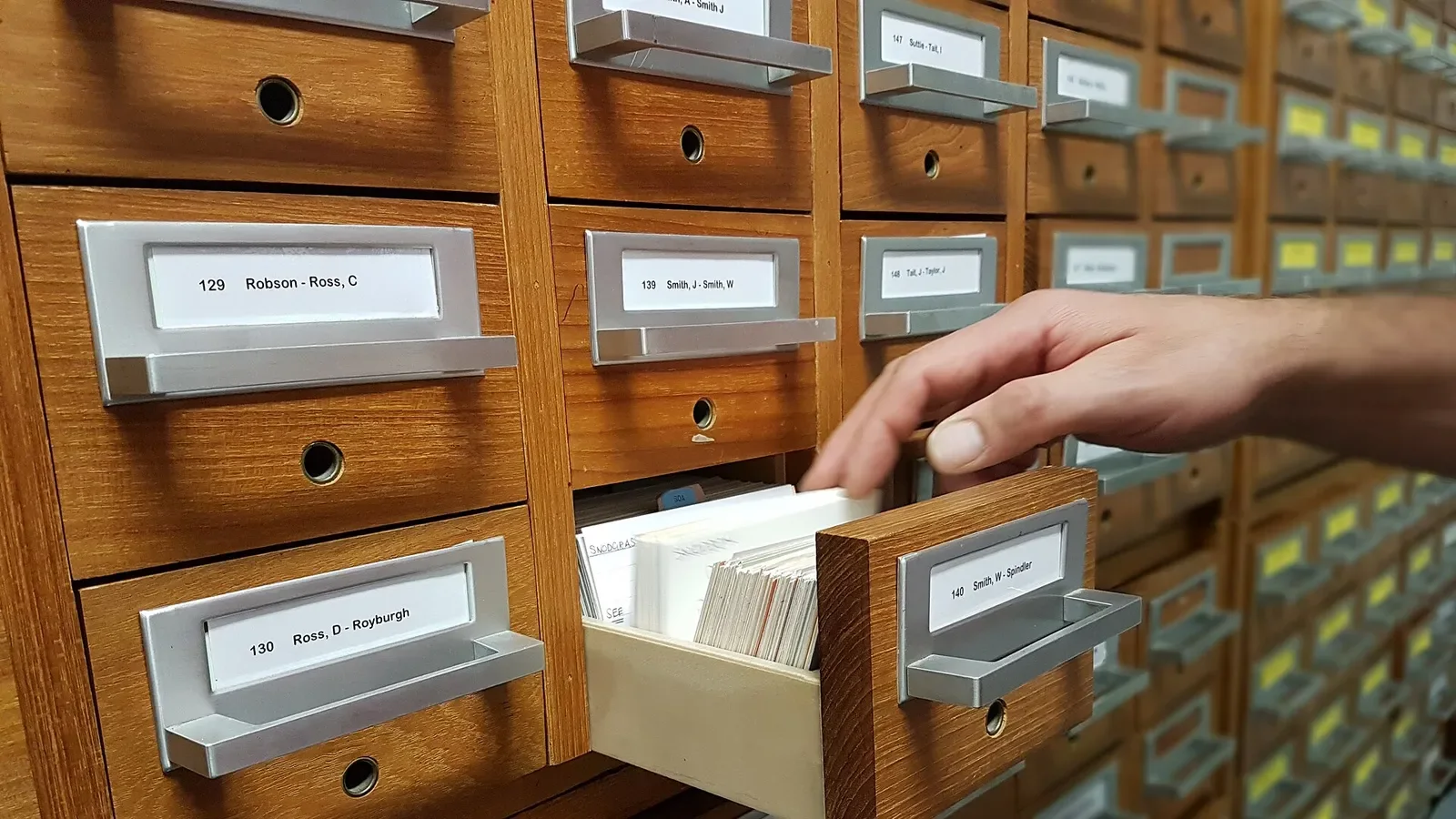
Photo: Watty62 on Wikimedia Commons, CC BY-SA 4.0
Clean data before AI automation is the step most owners want to skip, and it decides whether the automation works at all. If your contacts sit across a CRM, a few spreadsheets and an inbox that disagree, an automation will copy those mistakes and run them faster than you can check. This guide covers the three problems that break automations, a one-week clean-up you can fit around your working day, and how to pick the one place your team trusts for the authoritative record.
Why clean data matters before automation: the three breakers
Domo says that trying to build AI on inconsistent or incomplete data can lead to unreliable results and misguided strategies (Domo). Riseup Labs goes further and names the common mistake: the belief that good enough data is enough for AI. Its readiness checklist asks for consistent formats, such as dates and numbers, and for duplicates and anomalies to be reviewed or removed (Riseup Labs).
For a small business, three problems do most of the damage. The first is duplicate contacts, which cause double sends. The second is inconsistent job names, which break any rule that says send this to owners or route this to the MD, because the rule misses half the list. The third is the same record kept in three places, so the automation reads one version and writes to another.
You do not need to clean everything. Salesforce advises starting by cleaning only the data your agent needs (Salesforce). Flexlab makes a similar point: AI delivers value when a business starts with one clear workflow, reliable data and measurable outcomes, rather than automating everything at once (Flexlab, via The Columbus Dispatch). Pick the one workflow first, then clean the fields it touches.
Problem 1: duplicate contacts and how to merge them safely
Duplicates usually come from form submissions with a slightly different email address, imports from a spreadsheet, and typos. Someone signs up as j.smith@ and later as jsmith@. Your CRM now holds two people, and any follow-up sequence will email both of them, often on the same day.
Match on email first, lower-cased and trimmed of spaces. Then match on phone number for the leftovers. Only match on name and company last, and check those by eye, because two people called Sarah Khan at two firms are common. Never merge on name alone.
Before you merge anything, export a full backup. Keep the older record as the master, and move notes, deals and activity across to it. Add a column that records the ID of each record you deleted, so you can trace a merge later if a customer asks what happened.
Problem 2: inconsistent job names and how to standardise them
The same role appears as Owner, Owner/Director, MD, Managing Director and Founder, depending on who typed it and where. A segment called owners will catch some of these and miss others, so your messages land unevenly.
The fastest method is to count first. Export the distinct job titles from your CRM with a count beside each one. Build a two-column mapping sheet: the raw value on the left and the standard value on the right. Keep the standard list short, around 8 to 12 roles, and make sure each one is a role your automations actually use. How long this takes depends on how many distinct titles you have, so count them before you commit to a time.
Then apply the mapping. Replace values in the spreadsheet using the mapping, and in the CRM switch the field to a picklist, so new entries can only be chosen from the standard list. A picklist is the part that stops the mess coming back.
Job titles, before and after
Before
- Owner
- Owner/Director
- MD
- Managing Director
- Founder
After
- One standard value per role, chosen from a locked picklist
A segment called owners catches some of these and misses others, so messages land unevenly.
Problem 3: the same record kept in three places
Most small firms have a CRM, one or more spreadsheets and an inbox that holds the real conversations. Each one thinks it is the truth. The spreadsheet becomes a shadow CRM that someone updates on Friday, and the inbox holds a promise the CRM does not know about.
The inbox is the hardest source to match. Match each thread to a contact by the sender's email address. Anything from an address that is not in the CRM goes to a holding list for review, not straight into the CRM. If unknown senders create contacts automatically, every newsletter and supplier invoice becomes a new duplicate. Spreadsheets should be marked as read-only exports once the CRM is the source, so nobody edits the old copy by mistake.
From three sources to one record
Sources
CRMSpreadsheetsInboxMatch
Match each record across sourcesSource of truth
One record per personOther tools read from itA one-week clean-up plan: one afternoon a day
Budget about three hours a day. If your list is large, days two and three may run over. Split them across two afternoons rather than rushing, because a rushed merge is the one that loses history.
- Day 1: export and count. Export every source. Count contacts in each one and note the totals. Pick the first workflow you want to automate and list only the fields it needs.
- Day 3: job titles. Export distinct titles with counts, build the mapping sheet, apply it, then switch the field to a picklist.
- Day 4: inbox and spreadsheets. Match threads to contacts by sender address, set up the holding list for unknown senders, and mark spreadsheets as exports.
The finish line is one source of truth, with every automation reading from and writing to it.
Worked example: the sums for a made-up contact list
The numbers below are made up to show the method. They are not from a real business.
Inputs:
- Rows in the CRM: 1,200
- Duplicate pairs found by email in the CRM: 85
- Rows in a past-customer spreadsheet: 340
- Spreadsheet rows whose email already matches the CRM: 300
- Unknown inbox senders, not in either source: 90
Sum:
- CRM after merging duplicates: 1,200 minus 85 equals 1,115.
- Spreadsheet rows not yet in the CRM: 340 minus 300 equals 40.
- Contacts in the CRM after import: 1,115 plus 40 equals 1,155.
- Unknown inbox senders held for review, not added: 90.
Before you switch on the follow-up automation, run it on 50 test records and count the sends per address. Any address that receives more than one message means a duplicate is still in the list.
Choosing one source of truth and deciding what each tool may write
Don't pick the system with the most features. Ask three questions. Which system does the team already trust, meaning the one they open before they call a customer? Which system does each automation write to? Which fields does each tool own? Usually the CRM holds contacts and deals. A spreadsheet can win if your team genuinely works from one, but then it needs to be a proper table with locked columns, not a free-for-all.
Write the answers down as a field ownership table. This stops two tools fighting over the same field.
| Field | Source of truth | May automations write it? | Other tools |
|---|---|---|---|
| Name, email, phone | CRM | Yes, from forms and the inbox matcher | Spreadsheets as read-only exports |
| Job title | CRM, picklist only | Yes, from the standard list only | Spreadsheets get copied values |
| Deal stage | CRM | Yes, from follow-up sequences | Reports read-only |
| Email threads | Inbox, logged to CRM activity | Log only, never create contacts | None |
| Invoices and payments | Your accounting tool | No, read-only into the CRM | CRM shows the status |
Keeping it clean after launch: checks that stop drift
Data goes bad again within weeks if nobody watches it. Set up a short routine:
- Each week, count new duplicates by email and merge them.
- Each week, check for picklist violations and any values outside the standard list.
- Each week, review the holding list for unknown senders and add or discard them.
- After every automation run, check the log for any address that received more than one message.
- Each month, compare the CRM count with your export count and explain any gap.
What to automate first once the data is clean
Start with one workflow that has a clear measure. A common first choice is a new enquiry that lands in the CRM and triggers a follow-up within a set time, which our AI systems and automation work covers. Measure the thing you care about, such as response time or the share of enquiries that get a reply, before you add a second workflow. If follow-up is where you lose the most leads, a simple sales funnel shows the order to build it in. For a wider view of which admin tasks suit automation, read intelligent process automation for small business.
One post in r/revops describes a team that put AI on top of a messy CRM, skipped the clean-up, and later found that the warnings to clean first had been right (Reddit, r/revops). It is one team's account, but the pattern is familiar.
Where to start
- Export every source this week and count the contacts in each.
- Pick the one workflow you want to automate first, and list only the fields it uses.
- Run the email match for duplicates and merge in small batches with a backup.
- Build the job title mapping and lock the field to a picklist.
- Name one source of truth and write down which tool may write which field.
If you want a second pair of eyes before you start, get a free AI plan at /go/free-ai-plan, which shows where your data is holding you back and what to fix first. If you would rather talk it through, book a call and we will go through your CRM, spreadsheets and inbox with you and tell you honestly whether you are ready to switch anything on.
Sources
See it in practice

Built by Pensact
Go Way · A ride-hailing app for Egypt where riders pick the offer that suits them, across car, scooter or tuk-tuk. We built its systems and CRM.
Questions people ask
Do I need clean data before I can automate?
You need clean data for the fields your automation uses, not for everything you hold. Duplicates, inconsistent job titles and records split across tools will each break a different kind of automation. Clean those first, then add the workflow.
How do I clean up a messy customer list?
Back up the list, then match duplicates on email before anything else. Standardise job titles with a mapping sheet and a picklist, and match inbox threads by sender address. Work in small batches and spot-check each one before moving on.
Which system should be the source of truth?
Choose the system your team already opens before it contacts a customer, which is usually the CRM for contacts and deals. Then write a field ownership table that says which tool may write each field. Spreadsheets and exports should be read-only copies.
How do I merge duplicate contacts without losing history?
Export a full backup first and keep the older record as the master. Move notes, deals and activity across, and log the ID of each deleted record so you can trace it later. Merge in batches of about 50 and check a sample from each batch.
Keep reading

AI automation for architects: proposals, revisions, admin
Enquiries, fee letters, revision logs and invoice chasing can often be automated safely. Planning and client-facing documents still need an architect's name and check on them.
Noah Hany · 26 Nov 2026

AI automation for hotels in Dubai: guest messages and reviews
The admin that eats a small Dubai hotel's day, what AI can safely send on its own, and what a manager must approve before it goes out.
Noah Hany · 26 Nov 2026

Human in the loop automation: where a person still signs off
Human in the loop automation lets a person approve payments, prices, refunds and customer messages before they go out, without checking every task.
Noah Hany · 26 Nov 2026