AI & Automation
9 min readAI automation for clinics: booking, reminders and recall admin
AI automation for clinics starts with the front-desk work that eats your team's day. Here is what to hand off first, and the UK data checks to finish before go-live.
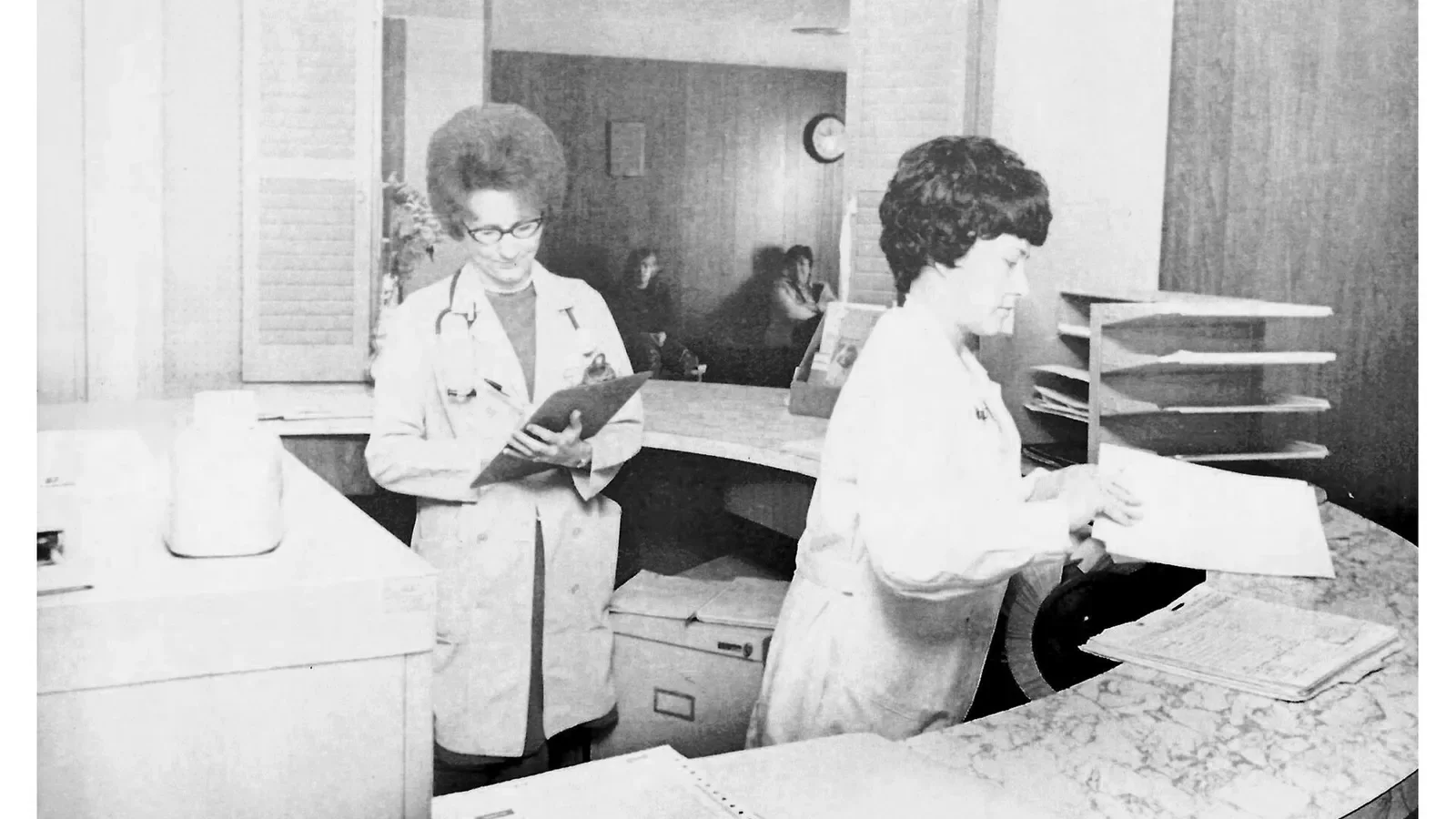
Photo: MarthaProj on Wikimedia Commons, CC BY-SA 4.0
AI automation for clinics starts with the front-desk work that eats your team's day: unanswered calls, confirmations, chasers and recall reminders that get forgotten until a patient drifts away. This guide sets out which tasks you can hand off, how to set them up, and the UK data protection checks to finish before anything goes live.
What AI automation for clinics can take off the front desk
Not every admin task is a good candidate. The safe starting point is work that is repetitive, follows a fixed rule and needs little clinical judgement. A booking confirmation sent as soon as a patient books is an easy example. A message asking someone whether their symptoms have eased is not.
Avomd, an education site about AI in US healthcare, says automated appointment reminders and smart scheduling reduce no-show rates and waiting room congestion (avomd). The same piece notes that chatbots can answer common patient questions around the clock. These are general claims from a US source, so test them against your own diary rather than assuming the same effect.
Beam AI says its healthcare agents fit into existing workflows, from small clinics up to large hospital networks (Beam AI). The question for you is simpler: does the tool connect to the diary and messaging system you already use? If it doesn't, you'll be copying data by hand and the time saving disappears.
| Front-desk task | Good for AI | Keep with a person | Data involved |
|---|---|---|---|
| Booking confirmation | Yes, with fixed wording | Changes to a clinical slot | Name, contact, date, clinician |
| Appointment reminders | Yes, at fixed times | Replies that mention symptoms | Name, contact, time |
| No-show follow-up | Yes, offer two new times | Patients who are upset or keep missing | Name, appointment history |
| Recall messages | Yes, once a clinician sets the interval | Choosing the interval or the clinical reason to return | Treatment type, last visit date |
| Symptoms, results, complaints | No | Always | Health information |
The bottom row matters most. Anything that touches symptoms, results or complaints stays with a person, and your AI setup should be built around that line from day one.
Booking confirmations and reminders: how the automation works
The booking software or practice management system triggers a message by SMS, email or WhatsApp. A common pattern is a confirmation at the moment of booking, then one or two reminders before the appointment. You decide the wording and the timings. The AI handles the sending and logs what happened.
Set-up steps
- Export every reminder and confirmation you send now, with its wording and timing.
- Pick one channel for the first version. SMS or email is easier to audit than a chat thread.
- Write fixed templates and keep treatment names out of them. 'Your appointment with Dr Patel on Tuesday 14 May at 10:00' does the job.
- Set the timings. A confirmation at booking, a reminder a day or two before and a short one the day before is a common pattern. Pick what suits your patients, then test it.
- Give every message a route to a human inbox. Replies such as 'can I move this?' should reach the front desk, not an AI that guesses.
- Run the first week with staff phone numbers on the list, so you see exactly what a patient sees.
One dental clinic owner posted on Reddit that they had put an AI agent on their website and WhatsApp to answer queries, book through Calendly and send reminders (Reddit r/automation). Treat that as one owner's report, not proof of results. It shows the set-up is technically possible. Whether it helps your clinic depends on your diary and your patients.
No-show follow-up and rebooking: recovering lost appointments
A no-show follow-up is a short sequence after a missed slot. The first message goes out the same day. It is polite, names the clinician and offers two new times. Something like: 'We missed you at 10:00 today. Would you like to rebook? Reply with a day that suits you, or call us on [number].'
Keep the sequence short. Send the same-day message, then a follow-up later if there's no reply, then stop and let the front desk phone the patient if it matters. Two or three messages is enough. Anyone who has asked not to receive messages must be removed straight away.
To avoid annoying patients, keep the tone plain, avoid words like 'final warning', give a one-tap opt-out and never put your cancellation fee in the chaser. If you charge a no-show fee, state it in your booking terms, where patients expect it.
Worked example: what a no-show sequence might recover
The numbers below are made up to show the method. They are not benchmarks.
- Appointments per month: 120
- No-show rate: 10%
- Missed appointments: 120 × 10% = 12
- Patients who rebook after the sequence: 25% of 12 = 3
- Average fee per appointment: £85
- Recovered fees per month: 3 × £85 = £255
Check the result against the monthly cost of the tool you're considering. That cost depends on your software, your message volume and your channel fees, so work it out for your own clinic. If the sequence recovers less than it costs, shorten it or look at your booking policy first.
Recall messages: bringing patients back on schedule
Recall is the most useful task and the most sensitive. Your clinicians set the interval for each treatment type. The AI sends a message that says it's time to book a review, without diagnosing or promising anything. For example: 'It has been a while since your last review with us. Book a time that suits you.'
Keep recall separate from marketing. A reminder that a patient is due a review is a service message. Adding a promotion turns it into marketing, which brings the consent rules in the Privacy and Electronic Communications Regulations (PECR) into play. Send the two as separate messages, and only to patients who have consented to marketing.
Agree who owns the recall list. In most clinics a clinician signs off the list and the practice manager runs it. Batch it monthly rather than letting an automation blast messages every time someone's date passes.
UK data protection checks before you switch anything on
BotMD publishes guides on patient data and AI, but its main example is Singapore's PDPA (BotMD). The structure is useful. The law is not the same, so run these checks against UK GDPR and the Data Protection Act 2018:
- Roles. For most clinics the clinic is the controller and the AI vendor is a processor. Confirm this in writing.
- Written contract. UK GDPR's processor rules require a contract with any processor that sets out what they may do with the data. This is your data processing agreement. Get it signed before any patient data moves.
- Lawful basis and special category condition. Contact details and appointment times are personal data. Anything that reveals health is special category data, so you need an Article 6 lawful basis and an Article 9 condition. Confirm yours with the ICO's guidance or a data protection adviser.
- Data protection impact assessment. Large-scale use of health data is likely to need a DPIA under the UK GDPR's high-risk rules. Write one before go-live, even for a small clinic.
- Minimal message content. Keep treatment names and clinical detail out of SMS and WhatsApp. Ask the vendor whether message content is stored, and for how long.
- Transfers. Find out where data is stored and processed. If any of it sits outside the UK, check the transfer mechanism in the contract.
- Access and security. Require multi-factor login, role-based access, audit logs and deletion of data when you end the contract.
- Subject rights. You must be able to find a patient's message history quickly for a subject access request, and to honour an opt-out.
- Retention. Decide how long message logs are kept, and put that in the contract.
If your clinic is CQC-registered, the inspectors will also look at how you handle records, so keep your logs tidy from the start.
If something goes wrong, the question of who pays is separate from the data question. We cover that in our piece on AI agent liability in the UK.
Where AI automation for clinics should hand off to a human
The AI needs written handoff rules, not just a general instruction to be careful. Hand off straight away when a patient mentions symptoms, pain, bleeding, medication, a test result, a complaint, distress, a safeguarding concern or a request to speak to a clinician. Hand off too when the AI can't match a booking. Any doubt goes to a person.
Before go-live, test the rules with a good batch of realistic messages, including awkward and unclear ones. Include unhappy patients, short replies, typos and messages from people who write in a second language. Check that every risky message reaches a human, not just the obvious ones.
Set a response target for handed-off messages during opening hours. Out of hours, the automated reply should give a real safety route: the NHS urgent advice line for non-emergency help, and 999 in an emergency. Brief the team on what the AI does, how to take over a conversation and how to correct a wrong booking. Read transcripts weekly for the first month.
Which admin task to automate first, and how to test it
Start with booking confirmations. They carry the least risk, are easy to measure and take effect within days. Add reminders next, then no-show follow-up. Leave recall until the first three are stable, because it needs the most clinical sign-off.
Run a four-week test with a baseline. Log front-desk time spent on calls and chasing for two weeks before you switch on, then measure:
- No-show rate: missed appointments ÷ booked appointments
- Rebooking rate: rebooked after a miss ÷ missed appointments
- Front-desk hours: logged time on calls and chasing, before and after
- Handoffs: how many messages reached a person, and how fast
- Complaints and opt-outs: any rise is a stop signal
Set the stop rule before you start. If complaints rise or handoffs are slow, switch the automation off and fix the cause.
Cost, integration and what to ask a vendor
Cost depends on what you already run: your diary software, whether it offers an integration or API, your message volume, channel fees (SMS and WhatsApp usually charge per message, so check current rates with the provider) and the build time. We can't give a clinic-wide figure without seeing your set-up. For reference, our AI Systems & Automation service starts at $499 and takes 1 to 3 weeks, depending on scope.
Ask any vendor these questions before you sign:
- Will you sign a data processing agreement that meets the UK GDPR's processor requirements?
- Where is data stored and processed, and who can access message logs?
- Is patient data used to train your models? Get the answer in writing.
- How does a message reach a human, and how quickly?
- Can we edit templates ourselves, and who approves wording?
- What happens to our data when we stop?
- Which diary software do you connect to, and what breaks if that software changes?
- Can we see no-show and rebooking reports?
Wording approval should sit with a named clinical lead and the practice manager, checked against the data protection rules above.
Where to start
- Write down your current booking, reminder and recall steps, and time them for two weeks.
- Export your templates and check your diary software's messaging settings.
- Ask any vendor for a data processing agreement and a DPIA template before you see a demo.
- Automate confirmations first, and run the four-week test.
- Review your set-up against this list, starting with our AI services for small businesses or our guide to appointment booking automation.
If you want a second opinion on where AI fits in your clinic, you can get a free AI plan or book a call with our team, and we'll look at your current front-desk tasks with you.
Sources
See it in practice

Built by Pensact
Hido · A booking app that connects visitors to Saudi Arabia with local guides, host families and adventures, found on an interactive map.
Questions people ask
How can a clinic use AI for appointment reminders?
Connect your booking software to an SMS, email or WhatsApp channel, then set fixed templates and timings, such as a confirmation at booking and a reminder about 48 hours before. Keep treatment details out of the message and send every reply to a human inbox. Test the set-up with staff phone numbers for a week before patients see it.
Is AI automation for clinics safe for patient data in the UK?
It can be, if you sign a data processing agreement with the vendor, complete a data protection impact assessment, and confirm your lawful basis and special category condition under UK GDPR. Check where data is stored, who can access message logs and how long they are kept. Get the answers in writing before any patient data moves.
What admin should a private clinic automate first?
Start with booking confirmations because they are low risk and easy to measure. Add appointment reminders next, then no-show follow-up. Leave recall messages until the earlier tasks are stable, since they need clinical sign-off on intervals and wording.
How do you automate no-show follow-up without annoying patients?
Send no more than two or three messages, keep the tone plain and name the clinician. Offer two new times and a one-tap opt-out, and never put a cancellation fee in the chaser. Anyone who asks not to receive messages should be removed straight away.
Keep reading
AI automation for architects: proposals, revisions, admin
Enquiries, fee letters, revision logs and invoice chasing can often be automated safely. Planning and client-facing documents still need an architect's name and check on them.
Noah Hany · 26 Nov 2026
AI automation for hotels in Dubai: guest messages and reviews
The admin that eats a small Dubai hotel's day, what AI can safely send on its own, and what a manager must approve before it goes out.
Noah Hany · 26 Nov 2026
Clean data before AI automation: a practical checklist
The three data problems that break automations, and a one-week plan to fix them before you switch anything on.
Noah Hany · 26 Nov 2026