AI & Automation
9 min readAI automation for dental practices: front desk and recall admin
Which front-desk and recall tasks a dental practice can automate now without touching clinical records, and the UK and UAE data rules that apply.
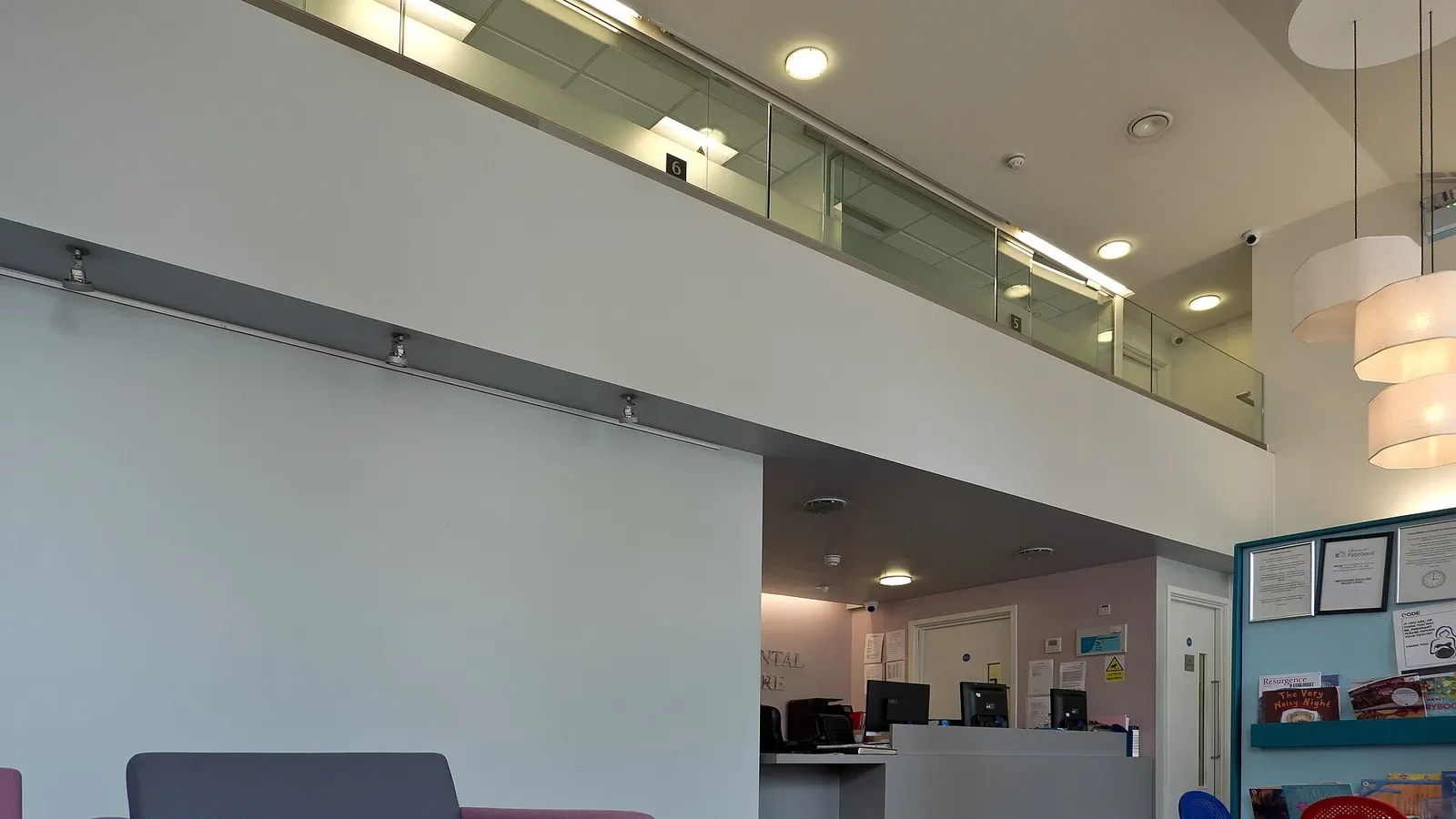
Photo: Roger A Smith on Wikimedia Commons, CC BY-SA 2.0
AI automation for dental practices is mostly a front desk and admin job, and that is where most practice managers should start this month. Booking calls, reminders, recall lists and insurance checks eat hours every week, and none of them needs access to a clinical chart to be improved.
AI automation for dental practices: what you can switch on this month
Keep the first wave inside admin. The tools that do this work sit next to your practice management system, not inside it. Keragon describes its AI teammates as working on top of existing software, handling calls, bookings, intake forms, recall and eligibility checks, and it says plainly that it is not a practice management system and replaces nothing (Keragon, https://www.keragon.com/dental). That is the model to look for.
Adoption is growing, though it is still a minority. An ADA Health Policy Institute survey from July 2026 found 43.3% of dentists use AI for at least one task (reported by Archy, https://www.archy.com/blog/ai-in-dentistry). That figure covers any task, so it tells you little about admin specifically, but it does mean your patients and staff are already used to the idea.
The table below sorts the usual admin tasks by the data they touch. Start at the top.
| Task | Data it uses | Touches clinical notes? | Good first step |
|---|---|---|---|
| Booking and reminders | Name, phone, slot | No | Connect the diary, send confirmations a couple of days ahead |
| Recall lists | Last visit date, recall interval | No | Export the overdue list and review it by hand |
| Intake form chasing | Form status, contact details | No | Send one reminder, not a daily nag |
| Eligibility checks | Name, date of birth, insurer, member number | Only if results post to the chart | Run checks the day before, and keep results out of the chart at first |
| Payment posting | Remittance files, claim numbers | No | Post clean matches only, review exceptions |
The one line to watch is the chart. Some insurance tools post eligibility results straight into the patient record. That is the moment admin software touches clinical data, so decide it on purpose. Keep results in a separate admin field or a report until your data protection check (covered below) is done.
Patient booking, reminders and no-show reduction
Booking is the easiest win because the rules are simple. An AI assistant can answer the phone or a web form, offer open slots from your diary, take a name and number, and confirm by text.
Reminders need more care. Send from a named practice number, include the practice name, and let patients reply with one word to confirm, cancel or reschedule. Keep the message free of treatment detail. 'Your appointment on Tuesday at 10:30' is enough. A reminder that names a procedure can be read by anyone who picks up a shared phone.
No-show reduction depends on your baseline. Count your no-show rate for the eight weeks before you switch anything on, then compare the same measure four weeks after launch. We don't have a published figure for dental no-show reduction to quote you, and any number a vendor gives you should come with the method behind it.
How a booking runs with an AI assistant
- 1
Patient gets an answer
The assistant answers the phone or a web form the moment someone asks for a slot.
- 2
Open slots are offered
It checks your diary and offers times that are actually free.
- 3
Details are taken
It records a name and number and holds the booking.
- 4
Booking is confirmed by text
The confirmation goes out from a named practice number with the practice name in it.
- 5
Reminder asks for one word
The reminder lets the patient reply with one word to confirm or cancel, so the diary updates without a call.
Recall and reactivation campaigns that stay compliant
Recall is where automation earns its keep. NextAutomation describes recall campaign automation that identifies overdue patients for recall messaging (NextAutomation, https://nextautomation.ai/ai-automation/dentists). The list is the easy part. The hard part is deciding who gets which message.
In the UK, separate two kinds of message. A check-up reminder for someone already in active care is a service message. A campaign offering whitening or a membership plan is marketing. Electronic marketing falls under the Privacy and Electronic Communications Regulations, which generally need consent, with a narrow exception for existing customers. Ask your privacy adviser whether that exception covers each campaign. In the UAE, patient communication is governed by health and data rules that are also worth checking locally before you send bulk messages.
Whatever the category, every message needs a working opt-out, and the opt-out has to stick. A patient who says stop should drop off every campaign, not just the one they replied to. Store consent status against the patient record in your admin system, and check the list before each send.
Worked example: what a recall run might return (made-up numbers)
These inputs are invented to show the method. Replace them with your own figures.
- Overdue patients on the list: whatever your recall report shows on the day you run it
- Reply rate: a share of those patients, which depends on the message and how it is sent, so count the replies you actually get
- Replies that book: the share of replies that turn into a booking, which depends on how quickly you offer a slot
- Average fee per recall visit: your real average, taken from the last year of invoices
- Tool cost: the monthly subscription on whichever tool you choose
That net figure is before materials, clinician time and the cost of staff checking the list. It tells you whether a run is worth repeating. It does not prove the run will work for your patients, so test it on one segment first.
Insurance eligibility checks and payment posting
Eligibility checks are where the time saving gets quoted most. NextAutomation says insurance verification bots check benefits, deductibles and frequencies the day before each appointment and post results to the chart. It estimates this at 20 hours a week and $3,500 a month (NextAutomation, https://nextautomation.ai/ai-automation/dentists). Treat that as the vendor's estimate for a US practice, not a benchmark for a UK or UAE clinic. Insurers, claim formats and patient mix all differ.
Payment posting follows the same logic. Archy describes systems that match electronic remittance (ERA) and paper EOB payments to open claims, post the clean ones, and send partial payments and exceptions to billing staff for review (Archy, https://www.archy.com/blog/ai-in-dentistry). ERA is a US standard. UK and UAE practices will have different remittance formats, so ask the vendor which files they can read before you assume matching works.
For UK and UAE practices, run checks manually for four weeks and log where the tool and your staff disagree. Only then automate the clean cases. Private cover, direct billing and payment-plan patients each need their own rules, and a person should stay on every exception.
Treatment plan summaries and patient-friendly financing messages
This is the grey area, so draw the line clearly. The clinical part of a treatment plan stays with the clinician. What AI can do safely is turn a signed-off estimate into plain English: the items, the fee, the deposit and the payment dates. It should not describe diagnosis, prognosis or alternatives. Those belong in the consultation.
Financing messages need extra care. If you offer finance or payment plans, the wording is regulated, and in the UK credit promotions must be fair and clear. Have a qualified person approve every template before it goes out. Don't let a tool generate finance wording on the fly.
Ambient scribes, which listen to consultations, sit outside this month's scope. Archy's advice is to tell patients when a scribe is listening, and to check your state's recording consent and AI disclosure laws (Archy, https://www.archy.com/blog/ai-in-dentistry). For UK and UAE practices, the equivalent step is checking consent and disclosure with your data protection adviser before anything is recorded.
Data protection for patient records: what to check in any vendor
A dental record is a health record, and health information is sensitive. In the UK, UK GDPR treats health data as special category data, so you need a lawful basis and an additional condition before you process it. Your practice is the controller. Any AI vendor that handles patient details is a processor and should sign a written contract covering what it does with that data. The ICO publishes guidance on processors and on data protection impact assessments (DPIAs), and a DPIA is worth doing before you switch on anything that processes patient data at scale.
In the UAE, health data falls under Federal Law No. 2 of 2019 on the use of information and communication technology in health fields, which generally requires health data to be stored inside the UAE, subject to exceptions. Emirate-level health authorities may add their own requirements. Get a local adviser to confirm before you choose a vendor that hosts data abroad.
Use this checklist for any vendor:
- Where is patient data stored, and where is it processed? - Which sub-processors see it, including any AI model provider? - Is there a signed data processing agreement? - Does the tool train its models on your patient data? The answer should be no. - How long is data kept, and how is it deleted on request? - How quickly does the vendor report a breach? - Can you limit access to admin fields and keep the clinical chart out of scope? - Will the vendor support a DPIA, and can it show a security certification?
Who pays when an automated system gets something wrong is a separate question. Our piece on AI agent liability in the UK covers it.
Before you sign with any AI vendor
Choosing a tool: questions to ask vendors and what to pilot first
Start with the questions you would ask of any supplier. Does the tool connect to your practice management system, and does it need write access to clinical records to do its job? Can you switch off each module on its own? Who is the named contact if a message goes wrong at 8pm on a Friday? What happens to your data if you cancel?
Pilot one workflow for four weeks. Good first pilots are recall list generation, reminder messages to a staff test group, or eligibility checks run alongside your current process. Pick one that touches no clinical records. Set a success measure before you start, such as no-show rate or hours spent on the phone, and write down the baseline.
Avoid any pilot that needs a full system migration. If a vendor insists you change your practice management software before you can test, you are buying a much bigger project than the one you asked about.
Cost and ROI: how to test value before committing
Pricing is where many vendors go quiet. Medix Dental lists Dentina.AI at $299 a month billed annually, or $374 a month billed monthly, per location (Medix Dental, https://medixdental.com/ai-tools-for-dental-practices/). That is one published example. We don't have verified pricing for Denti AI in our sources, so ask for a written quote that shows setup fees, per-location charges and any module costs.
Cost depends on how many locations you run, which modules you switch on, how much integration work your practice management system needs, and whether your staff need training. If you hire a team to build the workflows, our AI Systems & Automation service starts from $499, with a typical build of one to three weeks, though the final scope sets the price. Ask any provider for a fixed quote before work starts.
To test value, record four numbers before you start: staff hours on the phone each week, no-show rate, recall reply and booking rate, and days taken to post insurance payments. Measure them again after four weeks. If the change is small, pause and fix the process before you buy more tools.
Where to start
- Write down the hours your front desk spends each week on booking calls, reminders, recall lists and insurance checks.
- Pick one admin-only workflow and keep clinical charts out of scope.
- Check consent status and opt-outs on your recall list before sending anything.
- Ask each vendor for a data processing agreement, storage location and sub-processor list.
- Get a written quote covering setup, per-location fees and modules, then run a four-week pilot.
If you want to see where AI fits in your practice and which admin task to switch on first, get a free AI plan. If you would rather talk it through, book a call and we will go through your front desk workload together. The Free AI Audit is a 30-minute call with no card and no obligation.
Sources
See it in practice

Built by Pensact
Go Way · A ride-hailing app for Egypt where riders pick the offer that suits them, across car, scooter or tuk-tuk. We built its systems and CRM.
Questions people ask
What can a dental practice automate with AI?
Admin tasks that don't touch clinical records: booking calls and confirmations, reminders, recall lists, intake form chasing, insurance eligibility checks and posting clean payment matches. Start with one workflow and keep clinical charts out of scope for the first month.
Can AI send patient recall messages safely?
Yes, if the setup is right. Separate service reminders from marketing, check consent and the Privacy and Electronic Communications Regulations rules in the UK, honour opt-outs across every campaign, and keep messages free of treatment detail.
What data rules apply to patient records?
In the UK, health data is special category data under UK GDPR, so the practice needs a lawful basis and a written processor contract with any vendor. In the UAE, Federal Law No. 2 of 2019 generally requires health data to be stored inside the UAE, subject to exceptions, so check with a local adviser.
How much does Denti AI cost?
We don't have verified pricing for Denti AI, so ask for a written quote that shows setup fees, per-location charges and modules. As a published comparison, Dentina.AI lists from $299 a month billed annually per location. Your final cost will depend on locations, modules and integration work.
Keep reading
AI automation for architects: proposals, revisions, admin
Enquiries, fee letters, revision logs and invoice chasing can often be automated safely. Planning and client-facing documents still need an architect's name and check on them.
Noah Hany · 26 Nov 2026

AI automation for hotels in Dubai: guest messages and reviews
The admin that eats a small Dubai hotel's day, what AI can safely send on its own, and what a manager must approve before it goes out.
Noah Hany · 26 Nov 2026
Clean data before AI automation: a practical checklist
The three data problems that break automations, and a one-week plan to fix them before you switch anything on.
Noah Hany · 26 Nov 2026