AI & Automation
9 min readAI automation for salons: bookings, reminders and no-shows
AI automation for salons mostly fixes one thing: clients who book and then don't turn up. Here is what to automate, in what order, and what to keep human.
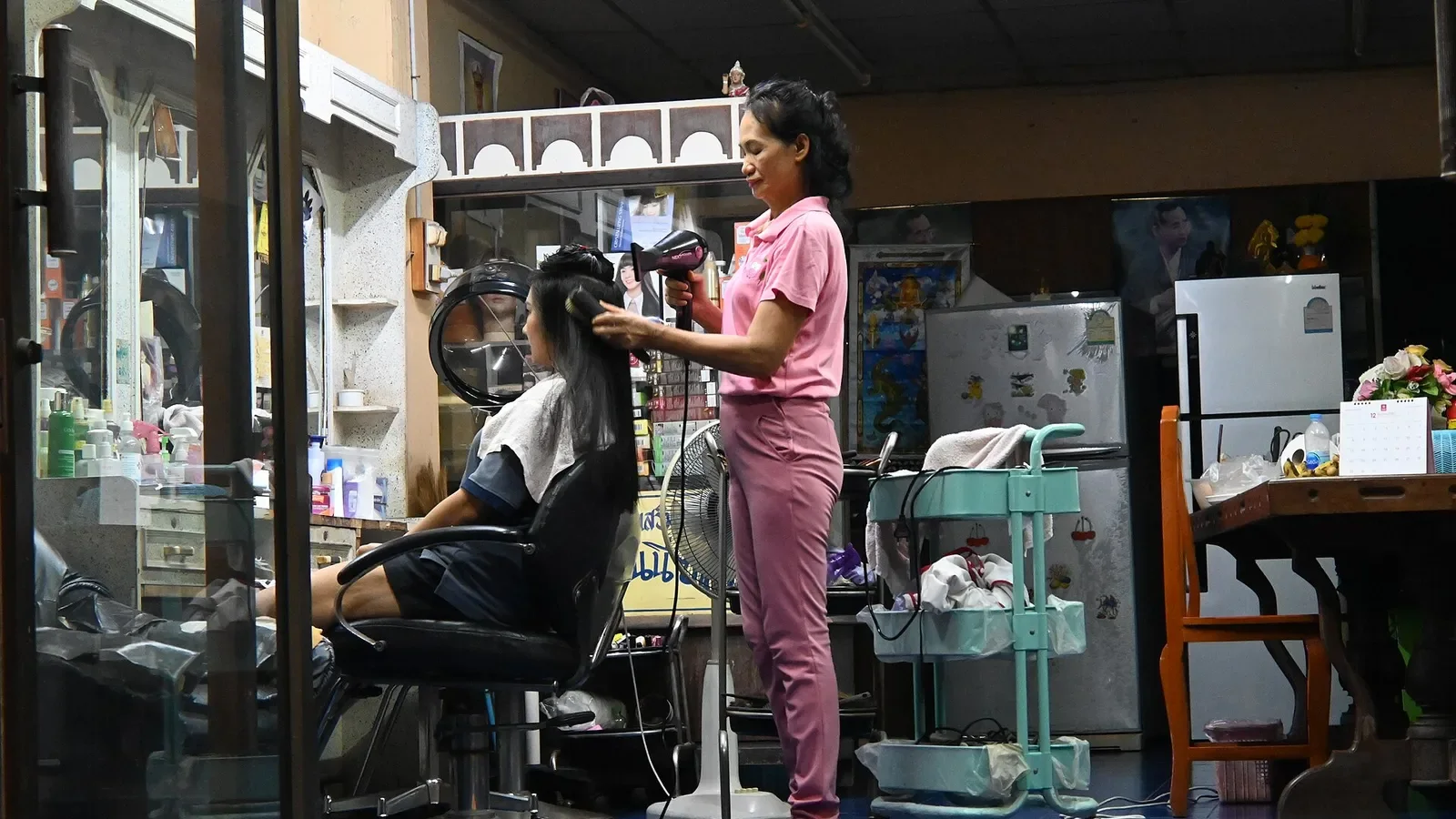
Photo: PattayaPatrol on Wikimedia Commons, CC BY-SA 4.0
AI automation for salons is mostly about one problem: clients who book a slot and then don't turn up. Every empty chair costs you money, and the admin of chasing people eats hours you should spend cutting hair. This guide covers the messages worth automating, the order to set them up in, and what to keep in human hands.
AI automation for salons: the three jobs it can take over
Most salon owners think of AI as a chatbot. In practice the useful work sits in three jobs: sending the right message at the right time, taking a deposit before the appointment, and answering the phone when you can't. Those three cover most of the admin between a booking and a paid service.
Start by checking what your booking platform already does. Most current systems send basic reminders, store card details and show an online calendar. The gaps are usually the follow-up after a missed booking, the message to someone who hasn't been in for three months, and the enquiry that arrives at 9pm on a Sunday. An AI layer or a well-built automation fills those gaps. It shouldn't replace what your platform already handles.
Keep the scope small. Pick the job that costs you most, which is usually no-shows, and fix that before adding anything else.
Confirmations and reminder ladder: timing, channels and one-tap reschedule
The clearest published schedule comes from The Skill Corner, which recommends confirming at booking, then reminding at 7 days, 24 hours and 2 hours before the appointment, each with a one-tap reschedule option. The Skill Corner gives a typical impact of no-shows down 30 to 60%. That is a vendor's typical figure, not a controlled test, so treat it as a target to measure against. A thread on Reddit's r/AiAutomations describes reminders at 48 and 24 hours, which shows people landing on the same basic shape.
This is the ladder we would start with:
| When | Channel | What it says | Reschedule option |
|---|---|---|---|
| At booking | Text or WhatsApp | Confirmation, price, address, cancellation terms | Link to move or cancel |
| 7 days before | Text or WhatsApp | The service and any prep, such as no hair wash before colour | Link to move |
| 24 hours before | Text | Time and stylist name, ask the client to reply to confirm | Reply to move |
| 2 hours before | Text or WhatsApp | A short note with directions or parking | Reply to cancel |
On channels, ask at booking which the client prefers and store the answer. Many UK clients read texts quickly. WhatsApp is the default for many clients in the UAE, so check where your own clients actually reply before you pick one.
Keep the count at four messages for most services. More than that and clients stop reading any of them, or start to feel watched. Send only in daytime hours. Write in your voice, use the client's first name, and make sure a real person picks up replies. Appointment reminders are usually treated differently from marketing under UK rules, but marketing messages need consent, so check the detail with an adviser before you send win-backs.
The reminder ladder
- 1
Confirm at booking
Send a confirmation the moment the appointment is made, with the date, time and service.
- 2
Remind at 7 days
Give the client a full week to move the appointment if plans have changed.
- 3
Remind at 24 hours
This is the message most clients will act on, so keep it short and include the one-tap reschedule link.
- 4
Remind at 2 hours
A last nudge for the clients who forget. Every message in the ladder should have the same reschedule option.
Worked example: what a no-show costs you
The numbers below are made up to show the method. Put your own figures in.
- Appointments a month: 60 (made up)
- Average ticket: £45 (made up)
- No-show rate: 12% (made up)
- Reduction from reminders: one third (made up, a midpoint inside the 30 to 60% range from The Skill Corner)
No-shows each month: 60 × 12% = 7.2 Money lost each month: 7.2 × £45 = £324 No-shows avoided at one third: 7.2 × 1/3 = 2.4 Money kept each month: 2.4 × £45 = £108
A solo barber with a shorter list and a lower ticket will see smaller numbers, but a higher share of the week at stake. The same sum works in dirhams for a UAE salon. Swap the currency and the no-show rate you actually track.
Deposit requests and cancellation policy: how to take money up front
Booksy, which sells a booking platform, puts phone bookings without a card deposit at a 12 to 15% no-show rate, against under 2% with a card deposit. Booksy labels that figure a vendor estimate, so read it as direction, not measurement. It still shows why deposits work: a client who has put a card down is more likely to turn up.
Set it up in three parts. Write a short cancellation policy, state it at booking, and repeat it in the confirmation text. Set a clear window, for example 48 hours, after which the deposit is kept or partly kept. Then apply the deposit against the final bill so it feels like part of the price, not a penalty.
Use deposits on the services that hurt most when missed: full colour, long treatments, bridal and anything that blocks a chair for hours. Leave a quick trim alone. Adding friction to cheap, short bookings loses clients for little gain.
The trade-off is real. Some clients will book somewhere with no deposit. You lose a few bookings and gain reliability. The terms also have to be fair and clear, and you should take advice on retaining money under your own policy before you rely on it.
Rebooking and win-back messages for lapsed clients
Zenoti, which sells salon software, reports a 72% cancellation rate on first rebooks and calls it a hidden revenue leak. Whatever your own figure, the principle holds: the best moment to rebook is at the chair, while the client is still there. Book the next visit before they leave.
Then let the automation carry the cycle. Set a rebook window for each service, such as roughly five weeks for colour and three for a barber cut, and send one reminder with a rebook link when that window arrives. Alexandria Point of Sale Software notes that AI can send personalised birthday offers and reactivate dormant clients automatically. Use that carefully.
For a win-back, send one friendly message once a client is well past their normal gap. Give a specific reason to come back, such as a new treatment or a free patch test for a returning colour client. Avoid blanket discounts, which teach clients to wait for them. If there's no reply, stop. Don't send to anyone who has asked not to be contacted.
AI receptionist for calls and after-hours bookings
Zenoti says 30 to 35% of salon and spa calls go unanswered, and each one is potential lost revenue without AI cover. Booksy reports that 80% of callers who reach voicemail hang up and call a competitor. Both are vendor-published, but they match what most salon owners have seen: a client who can't get through books somewhere else.
An AI receptionist answers the phone, checks availability in your booking system, takes the booking or a message, and hands anything it can't handle to a person. Set the hand-off rules before going live. Complaints, colour problems, requests for the owner and anyone upset should reach a human or get a call back. Then test it by calling your own number at 8am, at lunchtime and at 10pm. Check that it doesn't book a slot nobody can staff.
The cost depends on call volume, the platform you use and whether you need a new number or a ported one. Measure how many calls you miss now before you pay for anything.
How an AI receptionist fits the booking flow
Call or message
Client asks for a service or a timeAI receptionist
Answers from your services and availabilityBooks straight into your calendarReminders
Confirmation at bookingReminders at 7 days, 24 hours and 2 hoursWhat to set up first: a 30-day order of operations
Week one: count no-shows and late cancellations for the last eight weeks, broken down by service. Write one cancellation policy. Check what your booking platform already sends.
Week two: switch on the confirmation and reminder ladder. Test every link and reply with your own phone before a client sees it.
Week three: add deposits to your two highest no-show services. Add a rebook prompt at checkout.
Week four: set up the win-back message and, if call volume justifies it, the AI receptionist. Then review the no-show rate, the rebook rate and which messages got replies.
Don't add the next change until you've run the last one for at least two weeks. Our setup guide on appointment booking automation for small businesses walks through the booking side in more detail.
What to leave human: consultations, complex colour work and client relationships
Keep people on consultations. Deciding what a client should have, running patch tests, correcting colour and advising on scalp or skin concerns all need judgement and a conversation. Keep people on complaints and refunds too. A message about a bad result needs a person who can apologise properly.
Then there is the relationship: the stylist who remembers a holiday or a wedding date. Automation should free that person's time, not replace them. A sensitive message, such as a note after a bereavement or a missed appointment caused by an emergency, should always be written by someone at the salon. Our piece on AI customer support for small business covers where to draw that line.
Choosing tools: booking platform add-ons versus standalone AI layers
The choice is less about which AI is best and more about what you already have. Compare the options against the gaps you found in week one.
| Option | Good for | Watch for |
|---|---|---|
| Built-in reminders on your booking platform | Confirmations and basic reminders, quick to switch on | Limited rebook logic, reschedule options vary, WhatsApp may be missing |
| Platform add-on or marketplace app | Deposits, win-backs, extra messaging | Monthly cost per add-on, lock-in, check you can export your client data |
| Standalone AI layer (receptionist or messaging) | Calls, after-hours cover, WhatsApp, custom replies | Another system to connect, setup time, hand-off rules to write |
| Enterprise salon suite | Multi-site reporting, staff rotas, stock | Built for larger groups and often overkill for one or two chairs |
For a solo barber, the likely stack is platform reminders, a deposit on certain services and possibly a receptionist. A multi-chair salon gets more from reporting and staff tools. Zenoti reports that salons using its AI Concierge grew sales 4% against 1% for non-users. That is the vendor's own comparison, and the salons in it may differ from yours in ways the figure doesn't show. Our note on AI tools for solo business owners goes into what a small operator actually needs.
Where to start
- Count your no-shows and late cancellations for the last eight weeks, by service.
- Write a cancellation policy and put it in every confirmation.
- Switch on the four-message reminder ladder with a one-tap reschedule link.
- Add a deposit to your one or two highest no-show services.
- Decide on an AI receptionist only after you've measured how many calls you miss.
If you want a second opinion on where automation fits your salon, you can get a free AI plan at /go/free-ai-plan or book a call at /book. The Free AI Audit is a 30-minute call with a strategist. It ends with your top 10 tasks AI can take over and a step-by-step plan you can keep, with no obligation.
Sources
See it in practice

Built by Pensact
Hido · A booking app that connects visitors to Saudi Arabia with local guides, host families and adventures, found on an interactive map.
Questions people ask
What booking reminders should a salon send?
A practical ladder is a confirmation at booking, then reminders at 7 days, 24 hours and 2 hours before the appointment, each with a one-tap way to reschedule. The Skill Corner recommends this schedule, though its impact figures are a vendor's typical range rather than a controlled test. Keep to about four messages and send them in daytime hours.
How can a salon reduce no-shows with AI?
Start with automated confirmations and reminders, then add a written cancellation policy and deposits on the services that hurt most when missed. Measure your no-show rate for eight weeks before you change anything, so you can tell what worked. Use a person for any message that needs judgement or sensitivity.
Do I need a deposit to stop no-shows?
You don't strictly need one, but Booksy reports a 12 to 15% no-show rate for phone bookings without a card deposit, against under 2% with one. That is a vendor estimate, so test it on your own bookings. Apply deposits to high no-show services only, and make the terms clear before you take the money.
Can AI handle salon bookings?
AI can take many routine bookings, answer calls out of hours and send confirmations and rebook prompts without staff time. It should hand off consultations, complaints, colour problems and anything upsetting to a person. Test the set-up by calling your own number at different times of day, and check it can't book slots your team can't cover.
Keep reading
AI automation for architects: proposals, revisions, admin
Enquiries, fee letters, revision logs and invoice chasing can often be automated safely. Planning and client-facing documents still need an architect's name and check on them.
Noah Hany · 26 Nov 2026
AI automation for hotels in Dubai: guest messages and reviews
The admin that eats a small Dubai hotel's day, what AI can safely send on its own, and what a manager must approve before it goes out.
Noah Hany · 26 Nov 2026
Clean data before AI automation: a practical checklist
The three data problems that break automations, and a one-week plan to fix them before you switch anything on.
Noah Hany · 26 Nov 2026