AI & Automation
9 min readAI automation for nurseries UK in a 60-place setting
Which nursery admin tasks AI can take over, what a manager must still decide, and how to switch it on without risking children's data or safeguarding.

Photo: Chris Reynolds on Wikimedia Commons, CC BY-SA 2.0
AI automation for nurseries UK usually starts with a moment like this one. It is the start of a Monday, the door is open for drop-off, two parents are waiting at the desk, and the phone has already rung several times since opening. Three of the calls are about places from September. The fourth is a parent asking why an invoice shows a session she thought was covered.
None of that is hard. It is just constant, and it lands on the same person who is supposed to be watching the rooms. Below is what a manager can safely hand to software, what has to stay with a person, and how to start without putting children's data or safeguarding at risk.
What AI can take off a UK nursery's admin desk today
Most nursery admin is repetitive and rule-based, which is what these tools handle well. The honest list is shorter than the vendor brochures suggest:
- First replies to waiting list enquiries, answered from your own fee schedule, policies and session times.
- Joining the waiting list, capturing details and sending confirmation emails.
- Tour booking links and reminders.
- Standard invoice reminders and statements, once the billing rules are set.
- Drafts of parent updates and newsletters that a member of staff approves before they go out.
- Draft rotas and cover requests, checked against ratio rules by a manager.
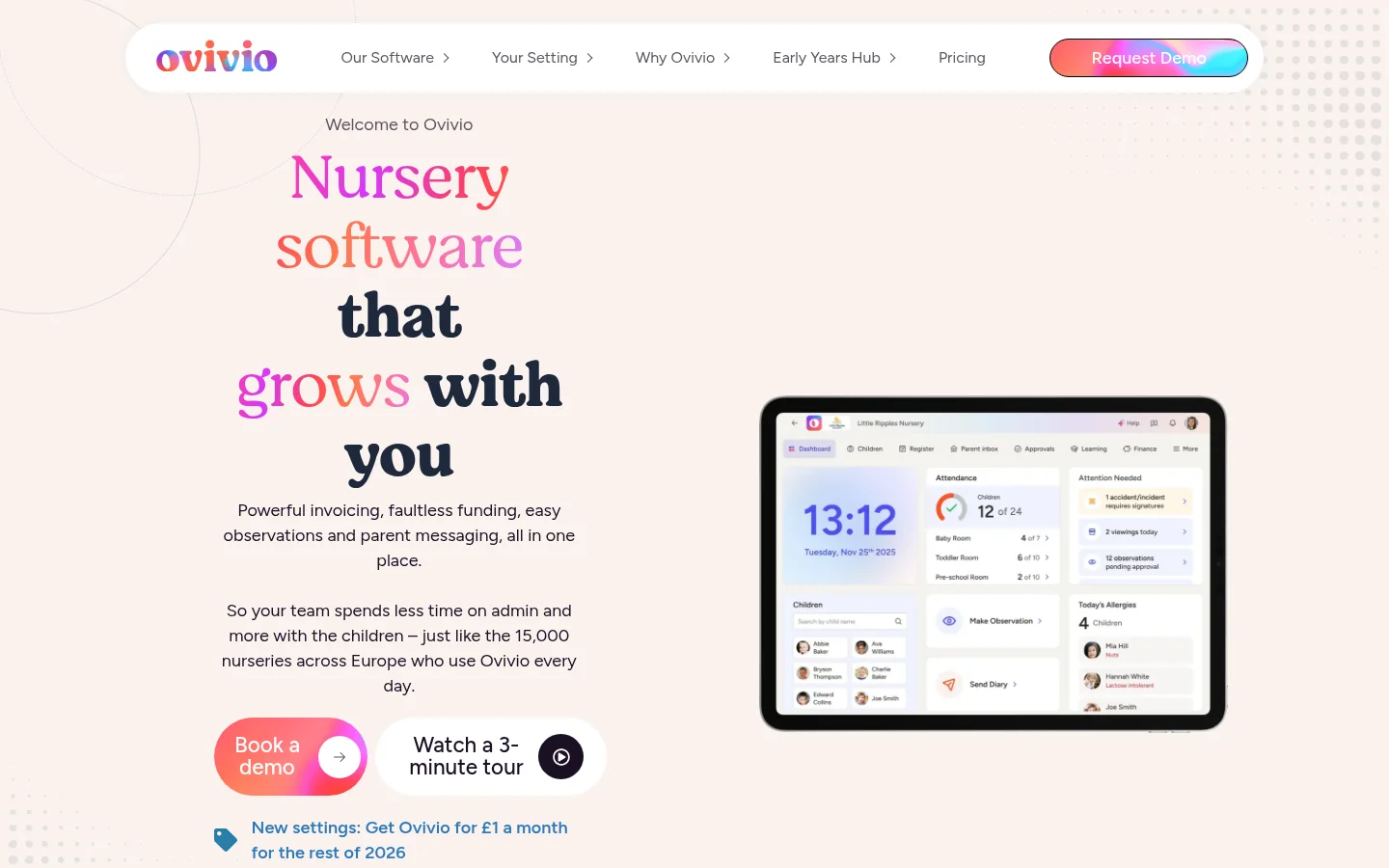
Ovivio says AI scheduling tools can analyse patterns in staff availability, child bookings and room ratios to help create rotas that actually work. That is where rota work starts, not where it ends.
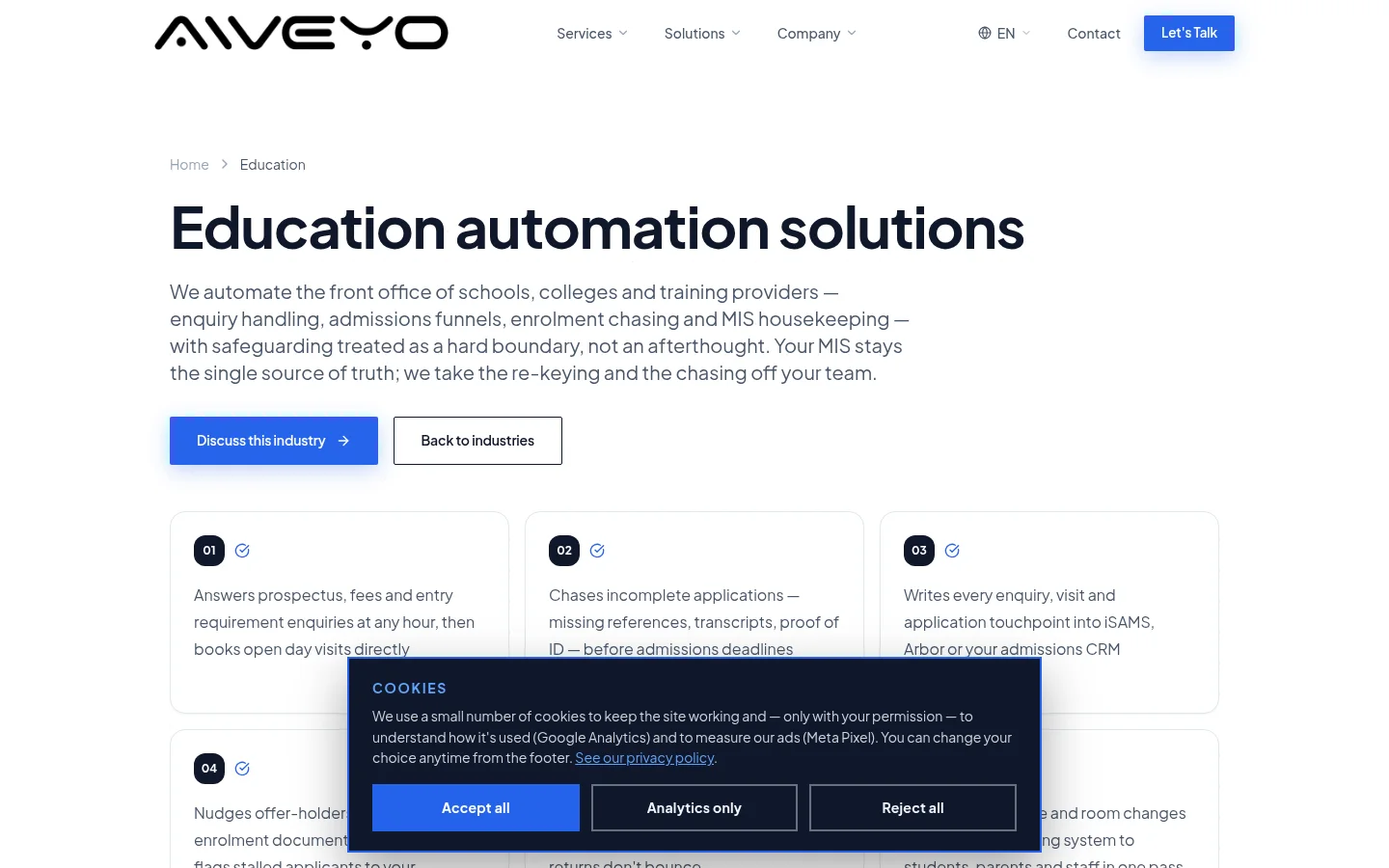
Aiveyo's education page says its enquiry assistants answer only from the provider's prospectus, fee schedule and policies, with no invented entry requirements. That is the right design for a nursery. A parent should never receive a fee or a policy that is not written down. Anything involving a child's needs, a concern or a complaint sits outside this list, and we come back to that below.
Worked example: a 60-place nursery, illustrative only, from manual to automated
The nursery in this example is made up to show the method. It is a 60-place day nursery with three rooms, a manager who also runs the office, and a deputy who builds the rotas. Your numbers will differ, so swap in your own before you decide anything.
The inputs, all assumed:
- Enquiries: 14 a week, by phone, email and website form.
- Parent updates: 60 a week, each written by hand.
- Overdue invoice follow-up: 12 accounts a week.
- Cover and rota messages: 6 a week.
- Manual time: 20 minutes per enquiry, 3 minutes per parent update, 10 minutes per overdue account, 15 minutes per cover message.
- Automated time: 2 minutes per enquiry to check the log, plus 10 minutes for each of the 3 enquiries a manager must decide on. Parent updates take 1 minute to approve. Only 2 invoice accounts are disputed, at 15 minutes each. Cover messages take 5 minutes to confirm ratios.
| Task | Manual (minutes a week) | Automated (minutes a week) |
|---|---|---|
| Waiting list enquiries | 14 × 20 = 280 | 14 × 2 = 28, plus 3 × 10 = 30, total 58 |
| Parent updates | 60 × 3 = 180 | 60 × 1 = 60 |
| Invoice chasing | 12 × 10 = 120 | 2 × 15 = 30 |
| Cover and rota messages | 6 × 15 = 90 | 6 × 5 = 30 |
| Total | 670 | 178 |
Manual sum: 280 + 180 + 120 + 90 = 670 minutes, about 11 hours.
Automated sum: 58 + 60 + 30 + 30 = 178 minutes, about 3 hours.
Difference: 670 − 178 = 492 minutes, about 8.2 hours a week.
On these made-up numbers, that is roughly a day of manager time back each week. It is not free money. The time has to go somewhere useful, such as walking the rooms and talking to staff, which is usually where a manager's hours matter most. We have not put a cost on the tools, because the price depends on which system you choose, how much set-up your current management software needs and whether it already does some of this.
How to run the worked example on your own nursery
- 1
Count your enquiries
Write down how many enquiries you get a week and which channel they come through: phone, email or the website. Use your own figures, not the example's.
- 2
Time each manual task
Note how long replies, waiting list entries, rota cover requests and invoice chases take in a normal week. A rough timer on your phone is enough.
- 3
Pick the one task that hurts most
Choose the workflow where a slow reply costs you a place or where the rules are already written down. That is the one to automate first.
- 4
Run the numbers before you buy
Compare the weekly hours and the cost of a slow reply against the tool's price. If the sums do not work on your figures, do not switch it on.
Waiting list and enquiry handling: what to automate and where a manager decides
Automate the first contact. A reply that arrives in minutes, with the right fee schedule and session times, is the single biggest win for most nurseries. The tool can capture the child's date of birth, preferred start date, sessions wanted and whether a sibling already attends, then send a confirmation and a tour link. It can also send a gentle reminder when a deposit is outstanding.
Where the manager decides
Who gets offered a place is a judgement, and it must follow your published admissions policy. That covers priority for siblings, staff children and funded-hours eligibility if you use it. A tool that re-sorts the list by how recently someone replied has broken your policy, and you will struggle to explain that to a parent or an inspector.
Anything about additional needs, medical conditions or a family's circumstances goes straight to a person. So does any offer of a place. The point of keeping a person in the loop here is simple: the tool gets the enquiry to the right desk quickly, and the desk decides.
Parent updates and invoice chasing: safe automation boundaries
Parent updates
Routine messages are safe to automate. Session reminders, closure notices, term dates, requests for spare clothing and event details all follow a pattern. Staff should still approve the drafts before they go out, at least until you trust the tool's output.
Do not automate anything about an accident, injury, head bump, illness, medication, behaviour, a bite, a distressed child, a collection concern or a complaint. Those go to a named person immediately. Staff write the record under your existing accident and incident procedures. A tool must never write, tidy up or soften an incident report.
Before you buy anything, ask the supplier what happens when a message mentions a bruise, or when a parent sounds frightened. The answer should be routing to a named person, not an automated reply.
Invoices
Can AI handle childcare invoices? It can send reminders, statements and chasers on a schedule, and it can check an invoice against the booking record. It cannot decide the rules. Funded hours, term-time billing, retainers, late-collection fees and what counts as a session depend on your contract and on the funding rules set by your local authority. Write those down first, then automate them. Disputes, hardship arrangements and debt collection stay with a person.
Staff rota messages and ratio checks: where AI helps and where it must not decide
AI is useful for the grind of rotas. It can spot a gap, draft a cover request, send it to bank staff in an order you set, and log the yes and no replies. This is the part of the work Ovivio's rota point describes.
What it must never decide is whether a room is safe to run. Before a rota is published, a manager should check:
- Staff-to-child ratios in each room, for each hour, against the age-group ratios in the EYFS statutory framework. This includes arrival, lunch and outdoor time, not just the scheduled start.
- That the qualification requirements for anyone counted in ratio are met.
- That first aid cover is in place.
- That staff checks, including DBS, are complete for anyone who is working.
A tool that fills a gap with the nearest available person and marks the room as covered has not solved the problem. It has hidden it. Keep a written record of the ratio rules the tool uses and who approved them, and sign off every rota yourself.
Who does what in rota cover
AI does
- Spots a gap in the rota
- Drafts the cover request
- Sends it to bank staff in the order you set
- Logs every yes and no reply
The manager decides
- Whether the room is still within ratio
- Who covers the gap and in what role
- Whether a gap is acceptable at all
- Any change to staffing or a child's session
The tool finds the gap and chases the answers. A person decides whether it is safe to fill it.
What to copy, what to skip and what it depends on
What to copy
Start with one workflow. Waiting list enquiries is the usual first choice, because the rules are written down and the cost of a slow reply is easy to see. Flexlab says AI delivers value when businesses start with one clear workflow, reliable data and measurable outcomes rather than automating everything at once.
Measure three things before and after: average reply time to an enquiry, how many enquiries turn into starts, and staff minutes spent on the task each week. Keep a log of every automated message, so you can show what was sent and when.
What to skip
Skip full autopilot on parent communication. Skip any tool that answers questions about children's needs. Skip automating incident reports. Skip rotas that publish without a manager's sign-off. And skip new tools while your waiting list lives in three spreadsheets and a notebook. Clean data first. Our clean data checklist covers the basics.
What it depends on
The answer for your nursery depends on what your current management software already does, how clean your child and family records are, how many rooms you run and how your funded hours are structured. It also depends on whether your team trusts the tool and whether the supplier answers your data questions clearly. If the supplier cannot, that is your answer.
Before you switch anything on
Data protection, safeguarding and Ofsted evidence before you switch anything on
Children's data sits under UK GDPR's higher bar. Aiveyo's FAQ says children's data gets that higher bar, including EU hosting, data processing agreements, data minimisation and no model training on the provider's records. Those are the right questions to ask any supplier, and you should check the answers yourself rather than take them on trust.
Is it legal to use AI with children's data? It can be, if you meet UK GDPR's duties. In practice, that means these steps:
- List every field the tool will touch, including names, dates of birth, contact details, attendance and any medical information.
- Minimise. Remove medical detail, photos and family circumstances from anything the task does not need.
- Carry out a data protection impact assessment (DPIA) before go-live. Children's data is a strong candidate for one, so treat it as required.
- Sign a data processing agreement with the supplier.
- Get the hosting location in writing. UK or EU hosting is the standard to ask for.
- Confirm in writing that the supplier does not train models on your records.
- Update your privacy notice so parents know what is automated and why.
- Keep an audit log of automated messages and record changes. Aiveyo says every automated message and record change is logged, giving an evidence trail that can be shown at inspection. Ask for the same from any supplier.
This is general information, not legal advice. Check with your data protection lead or the ICO's guidance before you act.
On safeguarding, name your designated safeguarding lead in every workflow that touches family contact. Aiveyo's education page says welfare-adjacent matters are routed straight to a named human rather than answered by an automation. That should be the rule in your setup too.
For Ofsted, inspectors will ask how decisions are made. Have the policy, the sign-off record and the audit log ready. Nesta says its early-years AI project will engage practitioners across nursery settings and focus on trial solutions that support practitioners. A small, supervised pilot on one workflow follows that same logic.
If you run a nursery and want to see which of these tasks your own desk could hand off, start with a free AI plan or book a call. Bring a month of enquiries and your overdue invoice list. We will tell you honestly which task to pick first and what it would need before it touched a child's record.
Sources
See it in practice

Built by Pensact
Yalla L3b · Court booking for players and a management view for court owners: reservations, rankings, ratings and nearby courts in one app.
Questions people ask
Can AI manage a nursery waiting list?
It can answer first enquiries, capture details, send your fee schedule and keep the list in order by the rules you set. It should not decide who gets a place. A manager must check priority rules, siblings and any additional needs before an offer goes out.
How do I automate parent updates safely?
Automate routine messages such as closure notices, term dates and session reminders, and have staff approve drafts before they send. Anything about accidents, illness, behaviour, safeguarding or complaints goes to a named person and stays out of automation.
Does AI handle childcare invoices?
It can send reminders, statements and chasers on a schedule, and check invoices against bookings. The rules, such as funded hours and term-time billing, come from your contract and local authority funding, so set those first. Disputes and hardship cases should go to a person.
Is it legal to use AI with children's data under UK GDPR?
It can be, if you meet UK GDPR duties: a lawful basis, a data protection impact assessment, a data processing agreement, UK or EU hosting, and clear privacy notices for parents. Only send the data each task needs. This is general information, not legal advice, so check with your data protection lead or the ICO's guidance.
Keep reading

How to set up ai automation for vets uk and keep the front desk
Automate reminders, vaccine recall, prescription requests and no-show follow-up in four weeks, and keep the calls that need a person with your receptionist.
Noah Hany · 29 Nov 2026
Is AI automation for opticians UK worth the cost?
Recall, eye test bookings, reorders and no-shows can run on automation, but only the wording and the chasing. Here is where to draw the line, what it costs and the data rules.
Noah Hany · 28 Nov 2026
Is AI for travel agencies worth it for a team of three?
AI can draft replies, itineraries and follow-ups for a small agency. Here is what to automate first, what needs a human, and what to keep personal.
Noah Hany · 27 Nov 2026