AI & Automation
9 min readHow to set up ai automation for vets uk and keep the front desk
Automate reminders, vaccine recall, prescription requests and no-show follow-up in four weeks, and keep the calls that need a person with your receptionist.
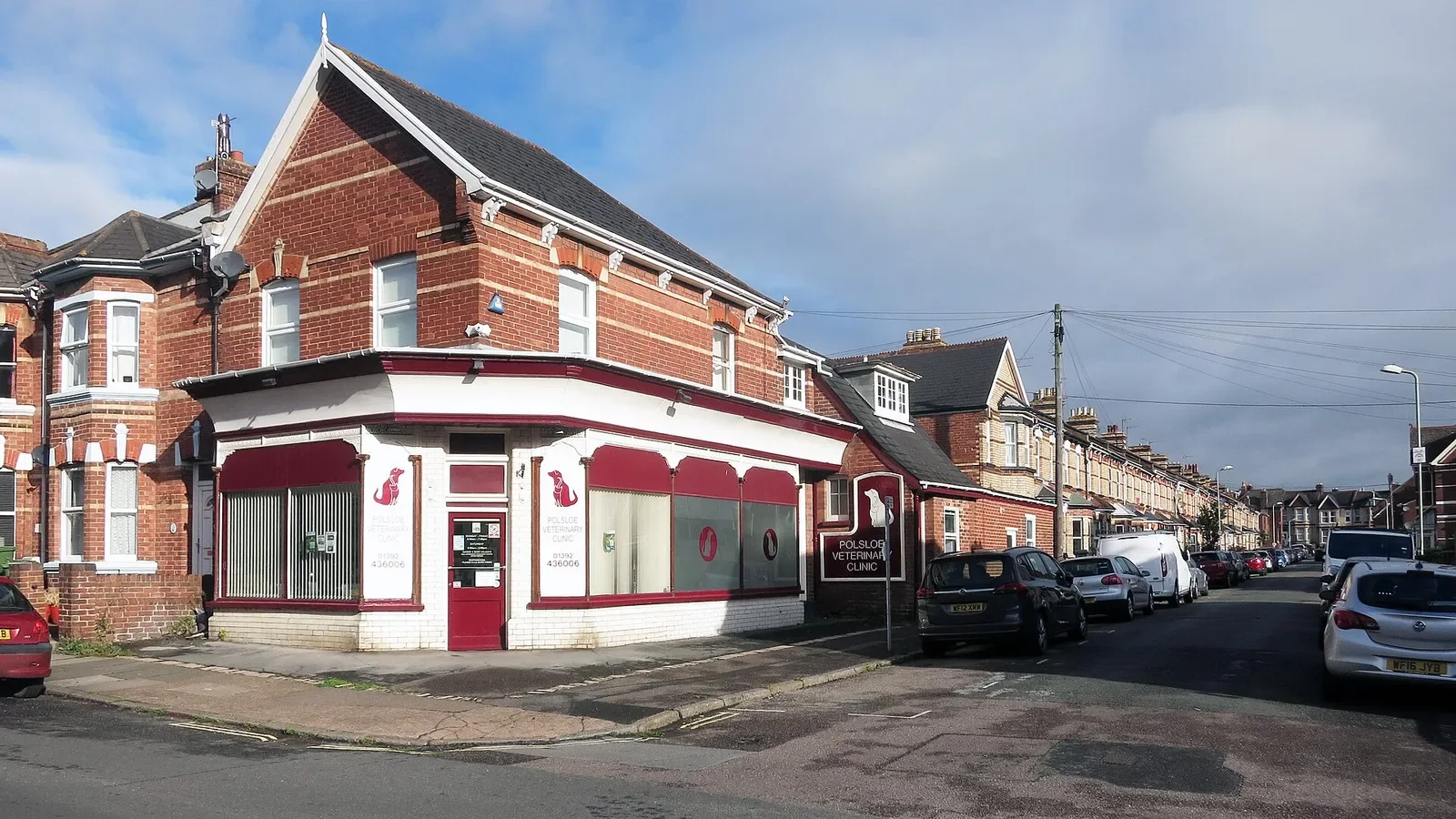
Photo: Des Blenkinsopp on Wikimedia Commons, CC BY-SA 2.0
The point of ai automation for vets uk is a front desk that chases appointments, boosters and no-shows without anyone remembering to. The thing that usually stops owners getting there is not the software. It is the client record underneath it: old mobile numbers, due dates typed in by hand years ago, and animals marked as moved or put to sleep that are still on the recall list. Automate on top of that and you send the wrong message faster.
Map your front-desk workload before you buy ai automation for vets uk tools
Spend a week writing down every message your team sends by hand. Sort them into four piles: appointment reminders, recall (vaccines, parasite treatments, senior checks), prescription requests and no-show or cancellation chasing. Add a fifth pile for everything else, such as insurance queries, results, payments and complaints. For each pile, note roughly how many a week, who sends them, which system they touch and how long each one takes.
Then look at your practice management system. CoVet says AI tools integrate with Avimark, Cornerstone, ImproMed and Vetspire (CoVet, https://co.vet/post/ai-vet-tools/). Integration tells you the tool can read your diary. It does not tell you the data is clean. If your records are a patchy mix of paper and free text, the automation will only be as good as that. Our guide to clean data before AI automation sets out the checks.
Flexlab recommends starting with one well-defined process and measuring it before and after automation, because company-wide programmes are harder to evaluate and correct (EIN News, https://www.einnews.com/pr_news/954109060/flexlab-shares-key-ai-automation-insights-from-techcrunch-disrupt-2026). Reminders are the easiest place to start because the baseline is easy to count. How many no-shows did you have last month? Write the number down.
How long this takes depends on how many records need cleaning and whether your system can export them in one file. Don't guess. Pull a random sample of client records and see how many have a dead mobile number or a missing due date. That sample will tell you more than any estimate.
Set up appointment reminders and confirmations
Connect the tool to your practice management system, write the message templates and set the timing. A common pattern is a confirmation when the booking is made, a reminder a day or two before and, for early morning slots, a same-day message. Ask clients to reply to confirm. A reply that says cancel should update the diary, not sit unread in an inbox.
The set-up depends on two things: the integration with your system, and the quality of mobile numbers. Before go-live, run a number check against visits from the last 12 months. Any client who has not attended in that window should be reviewed rather than messaged.
What tends to go wrong is predictable. Messages go to old numbers. Reminders go out for appointments that have already been moved by hand, so the client gets two messages. Pet owners who have died still receive reminders. Set a rule that any 'wrong number' reply goes straight to the receptionist, and fix the record the same day.
SMS reaches most clients. WhatsApp is common in the UK, but only use it for clients who have agreed to receive messages that way, and only if your provider supports it.
Automate vaccination and parasite recall
Recall is where the revenue and the risk both sit. The tool can draft and send messages to clients whose vaccine or parasite treatment falls due in the next few weeks, using the due date stored in your system. A typical setting is a first message four weeks before the due date, then a follow-up seven days later if the client hasn't booked. Put a booking link or the practice phone number in the message.
The failure modes here are more serious than a missed reminder. A due date can be wrong because a course was logged against the wrong animal, or marked complete when it wasn't. A booster can carry the wrong product name. A message can reach a client whose animal has since died. Before you switch recall on, audit the due dates for one full month and have a vet check a sample. Include the animal's name and the vaccine name in every message, so a client who spots an error can tell you.
On consent, recall about an existing treatment is usually a service message. Once you add promotions, such as a new health plan or a discount package, you are in marketing territory, and PECR rules for electronic marketing apply. Keep the two in separate templates, and check current ICO guidance before you mix them.
So, can AI send vaccination recall messages? Yes. The question that matters is whether the due dates it reads are right.
Handle prescription queries without giving clinical advice
Clients will ask whether they can have more of a particular medicine, or whether two tablets can be given together. The tool's job is to take the request, identify the animal and the medicine, confirm the person asking is the registered owner, log it and pass it to a vet or nurse with a clear note. It should not say whether a dose is safe, whether to skip a tablet, or what to do about a symptom. Prescribing decisions stay with a vet under RCVS rules.
Write the boundaries into the tool's scope. Flexlab says agents work best when the scope defines which tools they can use, which records they can edit and when a case passes to a staff member (EIN News, https://www.einnews.com/pr_news/954109060/flexlab-shares-key-ai-automation-insights-from-techcrunch-disrupt-2026). For prescriptions, the hand-off rule should trigger on any clinical word: vomiting, not eating, dose, missed, pregnant, collapse. When in doubt, hand over.
Vetz points out that most AI a UK practice can use today works around the consultation rather than inside the clinical decision (Vetz blog, https://www.vetz.ai/blog/ai-in-veterinary-medicine). Keep your setup on that side of the line. The British Veterinary Association has said technology must support, not replace, vet expertise (British Veterinary Association, https://www.bva.co.uk/news-and-blog/news-article/bva-calls-for-open-minded-approach-to-ai-use-but-cautions-technology-must-support-not-replace-vet-expertise).
Treat vendor accuracy claims with care. Vet-AI reports its triage system runs at 81% clinical accuracy after 10 weeks of development (diginomica, https://diginomica.com/how-vet-ai-deployed-ai-pet-healthcare-10-weeks-without-hallucinations). That is one company's figure for triage, not a result you can assume for your own inbox. Before launch, put 30 real questions from your last month through the tool and read every answer yourself.
Prescription query route
Client request
Client asks about a medicineTool records the animal and the medicineOwner check
Confirm the person asking is the registered ownerVet or nurse
Log the request with a clear noteVet or nurse makes the decisionRun no-show and cancellation follow-up
A no-show is a missed slot and, often, a client who forgot. Set up a short, friendly message within 30 minutes of a missed appointment with a rebooking link. Give the receptionist a daily list of anyone with two no-shows in a row, because that pattern usually needs a conversation, not another text. For cancellations, offer the freed slot by text to a waiting list, and give it to the first person who replies.
This depends on whether your system records no-shows at all. Many practices only note them in passing, which means there's nothing for the tool to act on. Check how your team records a no-show before you build anything.
The usual failure is a follow-up sent after the client has already rebooked by phone. Check the diary before every send. Our piece on AI automation for salons covers the same mechanics in another trade if you want to compare.
Decide what stays with the receptionist
Keep these with a person: emergency triage and any call where someone describes an animal in distress, which goes to the vet on duty straight away; complaints, and anything about a death or euthanasia; refunds and payment disputes; consent for procedures and anaesthesia; controlled drugs and prescription decisions; and any client who asks for a human. The receptionist also still owns the diary and the judgement about which message should go to which client.
Think of the receptionist as the safety net. Automation takes the repeated messages off the desk, so the receptionist has time for the calls where a wrong word causes real harm. That is the trade you are making, and it is the reason to design the hand-off rules before you turn anything on. Our article on human in the loop automation explains where a person should sign off.
Pilot, measure and tune for four weeks
Switch on one workflow at a time. In week one, run reminders only. In week two, add recall for one vaccine type. In week three, add prescription query intake with a hand-off to a vet. In week four, add no-show follow-up. Before you start, record the no-show rate, the number of calls about reminders, the recall booking rate and the hours the team spends on each task. Measure the same things weekly after launch.
Set a stop rule. If wrong-number or wrong-date complaints appear more than once in a week, pause the workflow and fix the data before you restart. Don't add a new flow until the last one has run cleanly for a week.
Baseline to record before week one
Keep records, consent and client trust intact
UK GDPR applies to client and owner data. Know where the data is stored, which company processes it on your behalf, and what happens to it when you leave. Check the contract for those points. PECR governs marketing texts and emails, so every marketing message needs a working opt-out, and a request to stop should be honoured straight away.
Log every automated message in the client record, so a vet can see what was said before they pick up the phone. Tell clients in your privacy notice that automated reminders are used.
Trust is the last thing to protect. A message that reads like a bot asking for payment will generate a complaint. Sign every message with the practice name and a phone number, and make sure a real person answers when a client replies with a question. If the automation starts to feel like the practice is hiding behind it, scale it back.
Your first week
- Export the last 12 months of appointments and check a random sample of records for dead numbers and missing due dates.
- Count no-shows, cancellations and recall bookings for the last four weeks. That is your baseline.
- Write down the five most common front-desk messages and sort each into reminder, recall, prescription query, no-show or other.
- Check which current clients have agreed to SMS and WhatsApp messages, and record it in their file.
- Write a one-page list of what the receptionist still owns, with the hand-off rules for clinical words.
- Choose reminders as the first workflow and set a date for the week-one pilot.
If you want a second pair of eyes on the data and the hand-offs before anything goes live, our AI Systems & Automation team builds and runs these flows for practices, and the cost depends on how many systems need connecting and how clean your records are. Start with the free AI plan, which maps your front-desk tasks to what can be automated, or book a call to talk through your practice management system and the first four weeks.
Sources
See it in practice

Built by Pensact
Yalla L3b · Court booking for players and a management view for court owners: reservations, rankings, ratings and nearby courts in one app.
Questions people ask
How can a vet practice automate reminders?
Connect the reminder tool to your practice management system so it can read the diary, then set templates for a booking confirmation, a reminder 48 hours before and a reply option to confirm or cancel. Check the mobile numbers against the last 12 months of visits before you go live. Route any wrong-number reply to the receptionist.
Can AI send vaccination recall messages?
Yes, provided the due dates in your system are right. Audit the due dates for a month and have a vet check a sample before switching recall on. Keep recall about existing treatments separate from any promotional messages, because marketing falls under PECR.
What should stay with the receptionist?
Emergency triage, complaints, anything about a death or euthanasia, refunds and payment disputes, consent for procedures, controlled drugs and prescription decisions should stay with a person. Any client who asks for a human should be passed to one straight away. The receptionist also keeps the diary and the judgement about which message goes to which client.
How do I stop an AI chatbot giving clinical advice about prescriptions?
Limit the tool's scope to taking the request, checking the animal and medicine, confirming the owner and logging it for a vet. Set hand-off rules that trigger on clinical words such as dose, vomiting, missed or collapse. Test it with 30 real questions from your inbox and read every answer before launch.
Keep reading
Is AI automation for opticians UK worth the cost?
Recall, eye test bookings, reorders and no-shows can run on automation, but only the wording and the chasing. Here is where to draw the line, what it costs and the data rules.
Noah Hany · 28 Nov 2026

AI automation for nurseries UK in a 60-place setting
Which nursery admin tasks AI can take over, what a manager must still decide, and how to switch it on without risking children's data or safeguarding.
Noah Hany · 28 Nov 2026
Is AI for travel agencies worth it for a team of three?
AI can draft replies, itineraries and follow-ups for a small agency. Here is what to automate first, what needs a human, and what to keep personal.
Noah Hany · 27 Nov 2026